游戏 UI 技能选择动画
Prompt
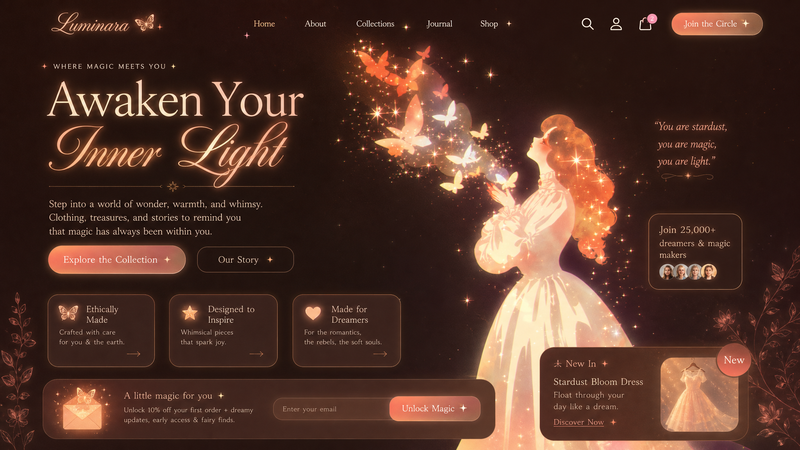
这是一个由游戏 UI 点击触发的技能切换动画。初始状态为装备界面,当前选中项为“风雷之翼”。——触发—— 用户点击 UI 中的“大庚剑阵”技能按钮:按钮产生反馈:轻微缩放(按压感)、高亮发光、出现能量涟漪,同时 UI 状态进行转换:
- Category
- UI & Interfaces
- Model
- seedance-2.0
- Creator
- 实践哥MinLi
- Source ID
- 3794
- Published
- Apr 27, 2026
Views0
20
这是一个由游戏 UI 点击触发的技能切换动画。初始状态为装备界面,当前选中项为“风雷之翼”。——触发—— 用户点击 UI 中的“大庚剑阵”技能按钮:按钮产生反馈:轻微缩放(按压感)、高亮发光、出现能量涟漪,同时 UI 状态进行转换:
Guide
"游戏 UI 技能选择动画" AI image prompt for seedance-2.0 (UI & Interfaces). 这是一个为 Seedance 2.0 设计的结构化提示词,用于生成精致的游戏 UI 动画,展示技能被选中的过程,包含按钮缩放、发光效果及能量涟漪。 Copy it on Picva a…
The full copyable prompt and example visuals above are ready for AI image generation or one-click recreate in Picva.
Step 1
Review the example visuals, category, and full prompt text for "游戏 UI 技能选择动画".
Step 2
Copy the prompt body from this page, or load it directly in Studio.
Step 3
Prefer seedance-2.0. If you switch models, keep subject and composition and tweak style terms.
Step 4
Recreate the look in Picva, or export into your workflow for editing and publishing.