20

Seedance 2.0 怀旧 2007 风格分手视频提示词

Prompt
15 秒,9:16 竖屏,刻意模仿低画质手机录像,手持 POV,高噪点 + 运动模糊 + 数字压缩失真 + 时间戳水印(左上角,2007 年风格)。
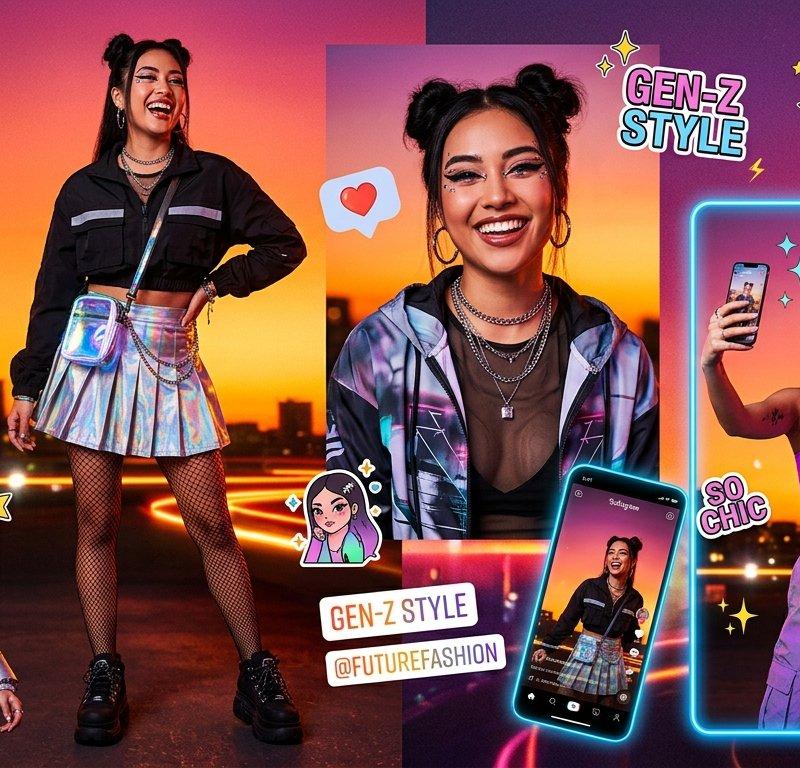
0-5 秒:手持镜头,雨夜中从背后跟拍女孩 [图 1],整体画面质量刻意做旧——像是 2007 年诺基亚手机拍摄,但主角本人惊艳,oversize 粗毛衣,霓虹湿地反光,细节都在对比差里;
5-9 秒:她停下,转身,回眸,延迟对焦从模糊到清晰,直视镜头,表情从疑惑到一丝微笑,随意又甜美;走近镜头,将湿发别到耳后;
9-13 秒:她凑近镜头,用手指戳了一下镜头——画面瞬间出现触碰导致的模糊和震动——然后后退两步,双手插兜,在霓虹逆光中略带骄傲地看着你;
13-15 秒:她转身走入雨夜,走了两步停下,没有回头,只是抬手挥了挥,然后消失在霓虹雨雾中,镜头在空无一人的街道上停留 2 秒,数字噪点慢慢吞噬画面。音效:全程城市雨声底噪 + 手机内录轻微电流底噪,结尾环境音淡出。
禁止:字幕、外部水印(时间戳除外)、任何现代 UI 元素。
Category
UI & Interfaces
Model
seedance-2.0
Creator
MapleShaw
Source language
zh-CN
Views0
Source ID
966
Published
Mar 12, 2026
Studio

Guide

About "Seedance 2.0 怀旧 2007 风格分手视频提示词"

What is this prompt for?

"Seedance 2.0 怀旧 2007 风格分手视频提示词" AI image prompt for seedance-2.0 (UI & Interfaces). 一个详细的多镜头提示,用于 Seedance 2.0 生成一个怀旧、低画质、2007 年风格的手机录像(POV 视角,手持,高噪点,时间戳水印),描…

The full copyable prompt and example visuals above are ready for AI image generation or one-click recreate in Picva.

How to use this prompt

  1. Step 1

    Open the prompt detail

    Review the example visuals, category, and full prompt text for "Seedance 2.0 怀旧 2007 风格分手视频提示词".

  2. Step 2

    Copy the prompt

    Copy the prompt body from this page, or load it directly in Studio.

  3. Step 3

    Pick a model (seedance-2.0)

    Prefer seedance-2.0. If you switch models, keep subject and composition and tweak style terms.

  4. Step 4

    Generate and export

    Recreate the look in Picva, or export into your workflow for editing and publishing.

FAQ

What is the "Seedance 2.0 怀旧 2007 风格分手视频提示词" prompt?
It is an AI image-generation prompt for seedance-2.0 in the UI & Interfaces category. This page includes the full prompt text, example visuals, and a one-click recreate path in Picva.
How do I use this prompt to generate an image?
Copy the prompt from this page, or use Generate / Studio. Paste it into a compatible image model, or recreate the look in Picva with optional reference images.
Which model is this prompt for?
This page lists seedance-2.0. Most descriptive prompts also transfer to nearby image models such as GPT Image, Flux, or Midjourney with light style tweaks.
Can I use the result commercially?
You can usually copy the prompt for creation, but commercial use of the final image depends on the model terms, reference-image rights, and the generated content. Follow the source author and platform rules.