20

Luxury Fragrance Campaign Portrait
Enlarge

Luxury Fragrance Campaign Portrait

Prompt
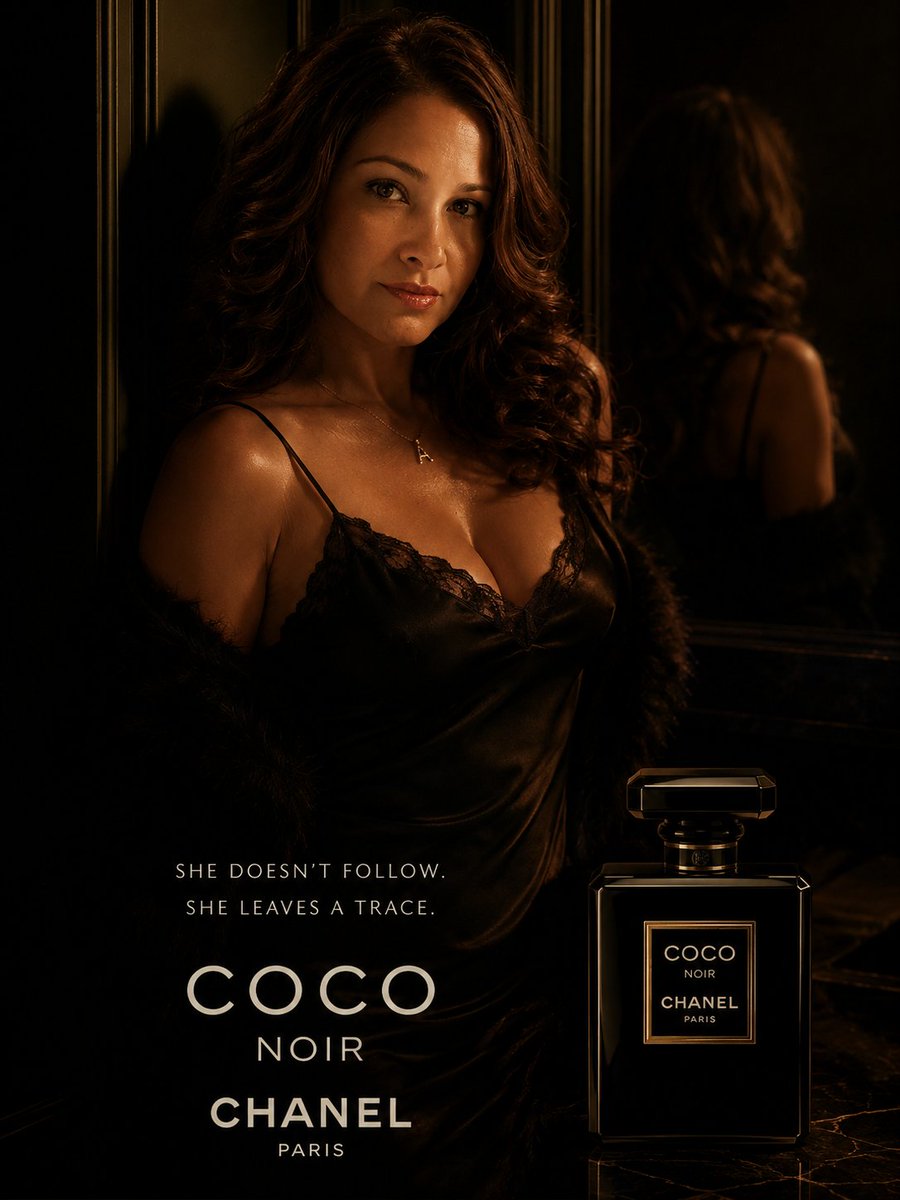
Transform the uploaded portrait into a luxurious cinematic fragrance poster inspired by the dark seductive elegance of a high-fashion perfume campaign. Preserve her exact facial features, warm skin tone, confident expression, wavy brunette hair, and recognizable identity. Style her as a mysterious femme fatale with soft glossy lips, luminous skin, subtle smoky eyes, and an intense captivating gaze.

Dress her in a black satin slip dress with delicate lace trim and a glamorous faux fur wrap slipping off her shoulders. Place her inside a moody Parisian-inspired luxury interior with black reflective walls, gold rim lighting, deep shadows, cinematic contrast, and sensual ambient lighting. Add elegant reflections and depth for a premium editorial look.

Include a sleek black perfume bottle inspired by a luxury noir fragrance aesthetic near the foreground. Use refined minimalist typography in a luxury fashion-ad style with dramatic spacing and premium composition. Add a tagline such as: “She doesn’t follow. She leaves a trace.”

The overall mood should feel seductive, mysterious, powerful, feminine, cinematic, timeless, and ultra-luxurious — like a Chanel Coco Noir campaign directed by a Hollywood cinematographer. High detail, photorealistic skin texture, glossy highlights, rich blacks, warm gold accents, magazine-quality fashion photography, 8K luxury editorial finish.
Category
Ad Creative
Model
GPT Image 2
Creator
amynys
Source language
en
Views3
Source ID
evolink-amynys-2054340951678587051
Published
May 13, 2026
Studio

Guide

About "Luxury Fragrance Campaign Portrait"

What is this prompt for?

"Luxury Fragrance Campaign Portrait" AI image prompt for GPT Image 2 (Ad Creative). Transform the uploaded portrait into a luxurious cinematic fragrance poster…

The full copyable prompt and example visuals above are ready for AI image generation or one-click recreate in Picva.

How to use this prompt

  1. Step 1

    Open the prompt detail

    Review the example visuals, category, and full prompt text for "Luxury Fragrance Campaign Portrait".

  2. Step 2

    Copy the prompt

    Copy the prompt body from this page, or load it directly in Studio.

  3. Step 3

    Pick a model (GPT Image 2)

    Prefer GPT Image 2. If you switch models, keep subject and composition and tweak style terms.

  4. Step 4

    Generate and export

    Recreate the look in Picva, or export into your workflow for editing and publishing.

FAQ

What is the "Luxury Fragrance Campaign Portrait" prompt?
It is an AI image-generation prompt for GPT Image 2 in the Ad Creative category. This page includes the full prompt text, example visuals, and a one-click recreate path in Picva.
How do I use this prompt to generate an image?
Copy the prompt from this page, or use Generate / Studio. Paste it into a compatible image model, or recreate the look in Picva with optional reference images.
Which model is this prompt for?
This page lists GPT Image 2. Most descriptive prompts also transfer to nearby image models such as GPT Image, Flux, or Midjourney with light style tweaks.
Can I use the result commercially?
You can usually copy the prompt for creation, but commercial use of the final image depends on the model terms, reference-image rights, and the generated content. Follow the source author and platform rules.