20

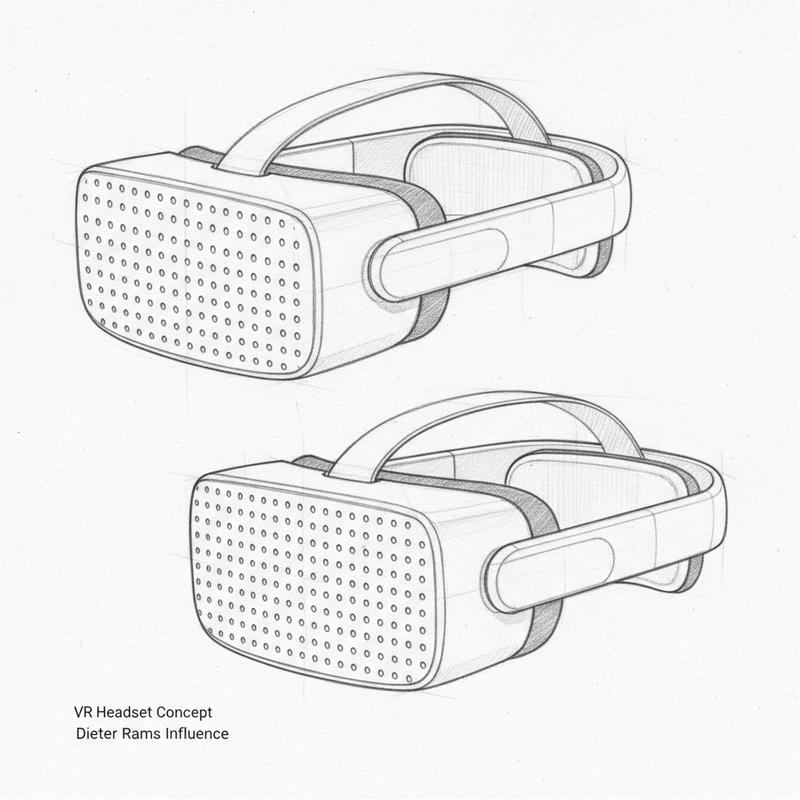
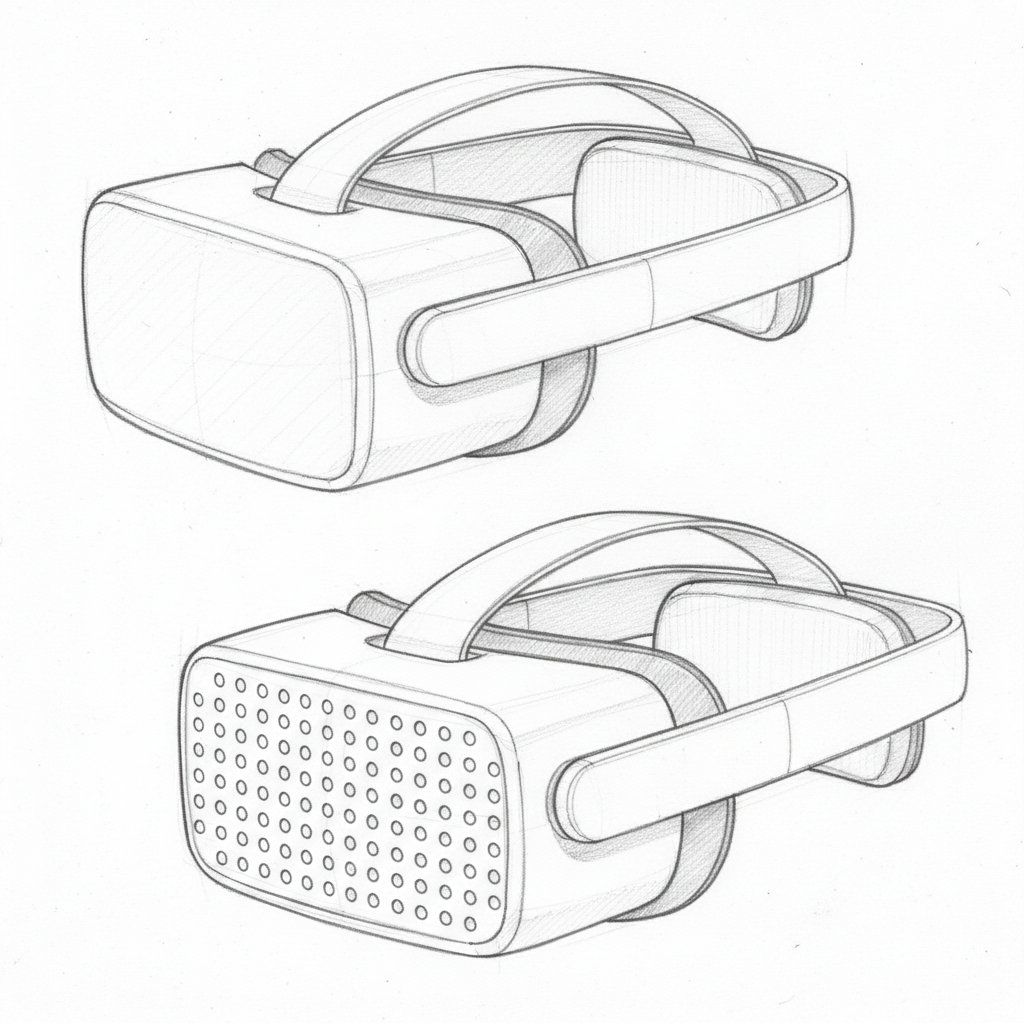
Dieter Rams 风格 VR 头戴设备草图
Enlarge

Dieter Rams 风格 VR 头戴设备草图

Prompt
Detailed hand-drawn pencil sketch of a futuristic minimalist VR headset inspired by Dieter Rams Braun designs, clean functional lines, no unnecessary details. Matte white low-profile headset with gently curved rectangular visor, front face featuring a precise grid of small circular perforations (dots) for ventilation and speaker aesthetic. Slim diagonal top strap crossing from one side to the other at an angle for ergonomic fit, integrated seamlessly. Rear section with soft padded cushions visible on the back of the head area for comfort. Simple side profile and three-quarter views shown, light shading for depth, subtle hatching for materials, technical design drawing style on white paper, precise yet understated, industrial design concept sketch.
Category
创意图片
Model
Nano Banana Pro
Views0
Source ID
dfcbe2b3-4851-4ba0-92b0-497206fa4954
Published
Mar 8, 2026

Guide

About "Dieter Rams 风格 VR 头戴设备草图"

What is this prompt for?

"Dieter Rams 风格 VR 头戴设备草图" AI image prompt for Nano Banana Pro (创意图片). 一个提示,用于生成一个详细的手绘铅笔草图,描绘一个受迪特·拉姆斯(Dieter Rams)博朗(Braun)设计启发的未来主义极简 VR 头显,重点突出简洁的线条、穿孔等功能细…

The full copyable prompt and example visuals above are ready for AI image generation or one-click recreate in Picva.

How to use this prompt

  1. Step 1

    Open the prompt detail

    Review the example visuals, category, and full prompt text for "Dieter Rams 风格 VR 头戴设备草图".

  2. Step 2

    Copy the prompt

    Copy the prompt body from this page, or load it directly in Studio.

  3. Step 3

    Pick a model (Nano Banana Pro)

    Prefer Nano Banana Pro. If you switch models, keep subject and composition and tweak style terms.

  4. Step 4

    Generate and export

    Recreate the look in Picva, or export into your workflow for editing and publishing.

FAQ

What is the "Dieter Rams 风格 VR 头戴设备草图" prompt?
It is an AI image-generation prompt for Nano Banana Pro in the 创意图片 category. This page includes the full prompt text, example visuals, and a one-click recreate path in Picva.
How do I use this prompt to generate an image?
Copy the prompt from this page, or use Generate / Studio. Paste it into a compatible image model, or recreate the look in Picva with optional reference images.
Which model is this prompt for?
This page lists Nano Banana Pro. Most descriptive prompts also transfer to nearby image models such as GPT Image, Flux, or Midjourney with light style tweaks.
Can I use the result commercially?
You can usually copy the prompt for creation, but commercial use of the final image depends on the model terms, reference-image rights, and the generated content. Follow the source author and platform rules.