星球大战科幻图像修改
Prompt
蟹を消す
人を画面の真ん中に少し小さくして
スター・ウォーズSFチックに!

う〜ん

太めの放射線を青く光らせて円で!

放射線を取ってたくさんの流れ星
- Category
- 创意图片
- Model
- Nano Banana Pro
- Creator
- クラリネットクラリオンNOBU
- Source ID
- ec1e6b00-4c97-4b0c-817b-c2c081fb5d47
- Published
- Mar 8, 2026
Views0
20
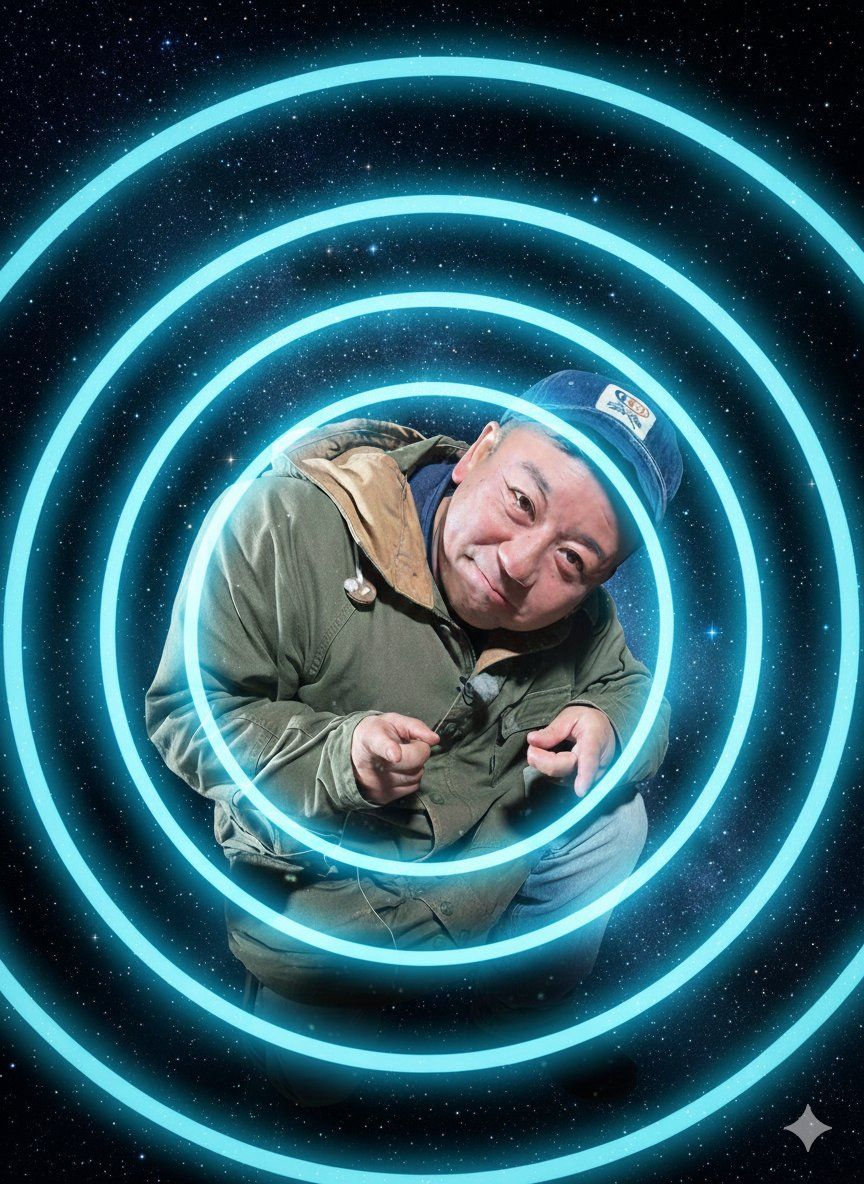
蟹を消す 人を画面の真ん中に少し小さくして スター・ウォーズSFチックに! う〜ん 太めの放射線を青く光らせて円で! 放射線を取ってたくさんの流れ星
Guide
"星球大战科幻图像修改" AI image prompt for Nano Banana Pro (创意图片). 以下是针对 Nano Banana Pro (Gemini 3 Pro Image) 的一系列修改提示,用于转换现有图像。用户首先尝试移除螃蟹,并将人物缩小后置于画面中央,采用星球大战科幻风格;然后尝试添…
The full copyable prompt and example visuals above are ready for AI image generation or one-click recreate in Picva.
Step 1
Review the example visuals, category, and full prompt text for "星球大战科幻图像修改".
Step 2
Copy the prompt body from this page, or load it directly in Studio.
Step 3
Prefer Nano Banana Pro. If you switch models, keep subject and composition and tweak style terms.
Step 4
Recreate the look in Picva, or export into your workflow for editing and publishing.


















