16

美食艺术提示:以熟食板呈现历史场景
Enlarge

美食艺术提示:以熟食板呈现历史场景

Prompt
<instructions> Act as a world class food expert and artist.

Input A: {argument name="historical scene" default="Masterpiece painting or historical event"}.

 Analyze composition, colors, mood, elements. Pick the right food ingredients relevant to the region that can be used in the painting or scene.

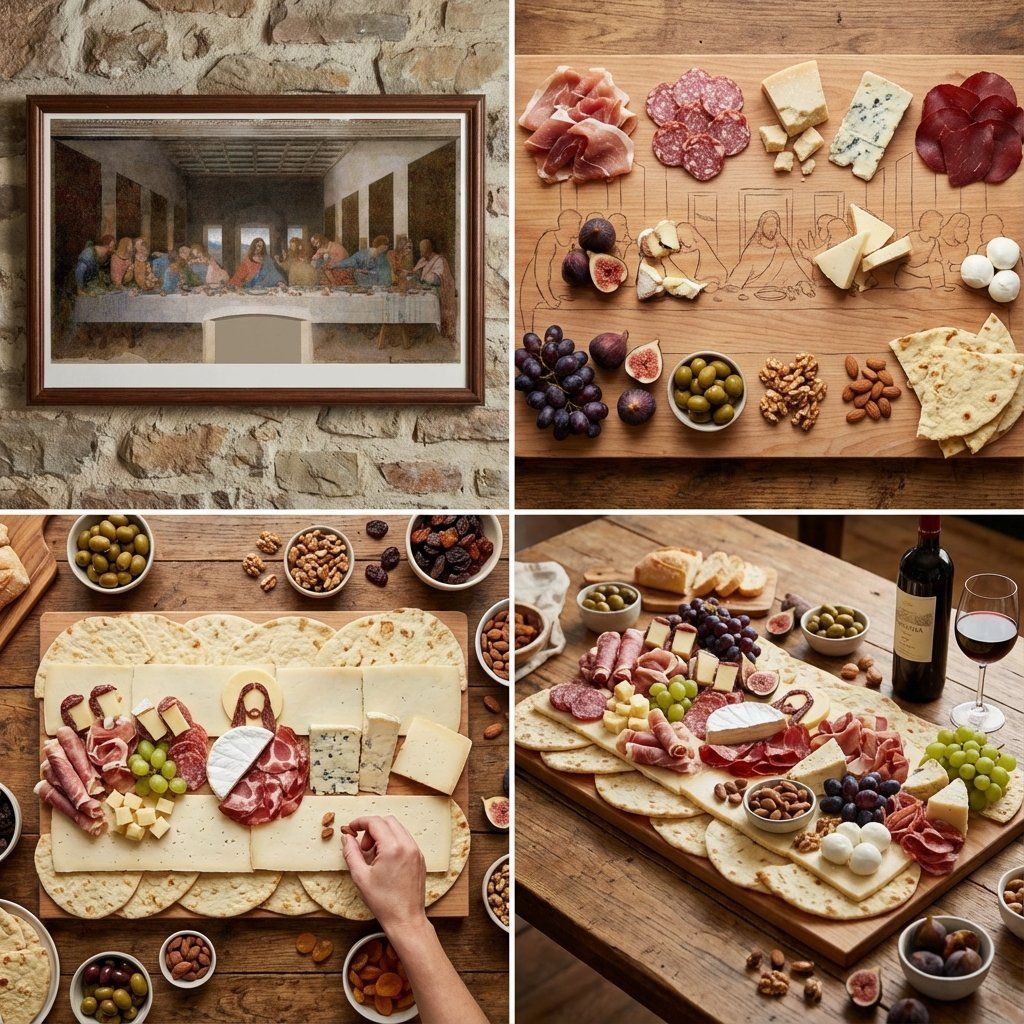
Goal: Large charcuterie platter replicating the painting using cured meats, cheeses, fruits, nuts, and other ingredients relevant to that region.
Rules: decide which ingredients should be used for each part of the scene and character, so the painting looks as realistic as possible but is mainly made out of food.

2x2 grid: Panel 1: Original painting reference; Panel 2: Ingredient map; Panel 3: Overhead build; Panel 4: Final board with wine pairing.
Output: 1 x 1:1 image, rustic gourmet photography.

</instructions>
Category
创意图片
Model
Nano Banana Pro
Creator
Gadgetify
Views0
Source ID
61d01ff6-c6a8-4486-bfff-3f0532f9a542
Published
Mar 8, 2026

Guide

About "美食艺术提示:以熟食板呈现历史场景"

What is this prompt for?

"美食艺术提示:以熟食板呈现历史场景" AI image prompt for Nano Banana Pro (创意图片). Nano Banana Pro 的详细指令提示,要求其扮演美食专家和艺术家,使用食材复刻著名的历史场景或画作,特别是制作熟食拼盘。输出将是一个 2x2 的网格,展示参考图、食材布局图、制作过…

The full copyable prompt and example visuals above are ready for AI image generation or one-click recreate in Picva.

How to use this prompt

  1. Step 1

    Open the prompt detail

    Review the example visuals, category, and full prompt text for "美食艺术提示:以熟食板呈现历史场景".

  2. Step 2

    Copy the prompt

    Copy the prompt body from this page, or load it directly in Studio.

  3. Step 3

    Pick a model (Nano Banana Pro)

    Prefer Nano Banana Pro. If you switch models, keep subject and composition and tweak style terms.

  4. Step 4

    Generate and export

    Recreate the look in Picva, or export into your workflow for editing and publishing.

FAQ

What is the "美食艺术提示:以熟食板呈现历史场景" prompt?
It is an AI image-generation prompt for Nano Banana Pro in the 创意图片 category. This page includes the full prompt text, example visuals, and a one-click recreate path in Picva.
How do I use this prompt to generate an image?
Copy the prompt from this page, or use Generate / Studio. Paste it into a compatible image model, or recreate the look in Picva with optional reference images.
Which model is this prompt for?
This page lists Nano Banana Pro. Most descriptive prompts also transfer to nearby image models such as GPT Image, Flux, or Midjourney with light style tweaks.
Can I use the result commercially?
You can usually copy the prompt for creation, but commercial use of the final image depends on the model terms, reference-image rights, and the generated content. Follow the source author and platform rules.