20

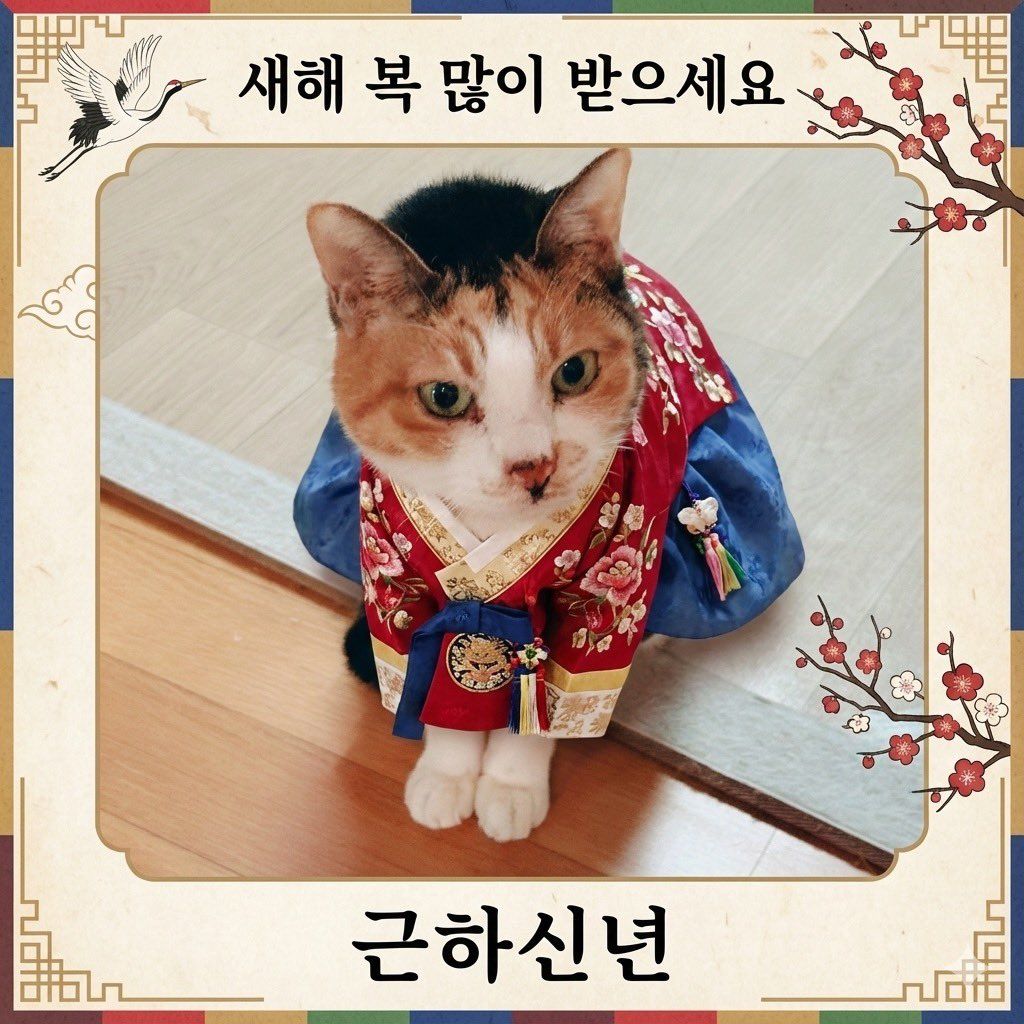
猫咪韩服新年贺卡生成提示词
Enlarge

猫咪韩服新年贺卡生成提示词

Prompt
첨부한写真の{argument name="動物" default="猫"}の姿をそのまま維持しながら着ている服を{argument name="服装" default="韓服"}に 바꿔줘。
{argument name="カードスタイル" default="年賀状"}スタイルカードフレームを追加해줘。
Category
创意图片
Model
Nano Banana Pro
Views0
Source ID
a22aa928-7243-470f-94b8-31d3cef00532
Published
Mar 8, 2026

Guide

About "猫咪韩服新年贺卡生成提示词"

What is this prompt for?

"猫咪韩服新年贺卡生成提示词" AI image prompt for Nano Banana Pro (创意图片). 一个给 Gemini/Nano Banana Pro 的提示,要求 AI 将一张猫的参考图片进行改造,将其衣服换成韩服(韩国传统服饰),并在最终图像周围添加一个新年贺卡风格的边框。 --- 保持附图…

The full copyable prompt and example visuals above are ready for AI image generation or one-click recreate in Picva.

How to use this prompt

  1. Step 1

    Open the prompt detail

    Review the example visuals, category, and full prompt text for "猫咪韩服新年贺卡生成提示词".

  2. Step 2

    Copy the prompt

    Copy the prompt body from this page, or load it directly in Studio.

  3. Step 3

    Pick a model (Nano Banana Pro)

    Prefer Nano Banana Pro. If you switch models, keep subject and composition and tweak style terms.

  4. Step 4

    Generate and export

    Recreate the look in Picva, or export into your workflow for editing and publishing.

FAQ

What is the "猫咪韩服新年贺卡生成提示词" prompt?
It is an AI image-generation prompt for Nano Banana Pro in the 创意图片 category. This page includes the full prompt text, example visuals, and a one-click recreate path in Picva.
How do I use this prompt to generate an image?
Copy the prompt from this page, or use Generate / Studio. Paste it into a compatible image model, or recreate the look in Picva with optional reference images.
Which model is this prompt for?
This page lists Nano Banana Pro. Most descriptive prompts also transfer to nearby image models such as GPT Image, Flux, or Midjourney with light style tweaks.
Can I use the result commercially?
You can usually copy the prompt for creation, but commercial use of the final image depends on the model terms, reference-image rights, and the generated content. Follow the source author and platform rules.










