17

奢华咖啡品鉴菜单布局提示
Enlarge

奢华咖啡品鉴菜单布局提示

Prompt
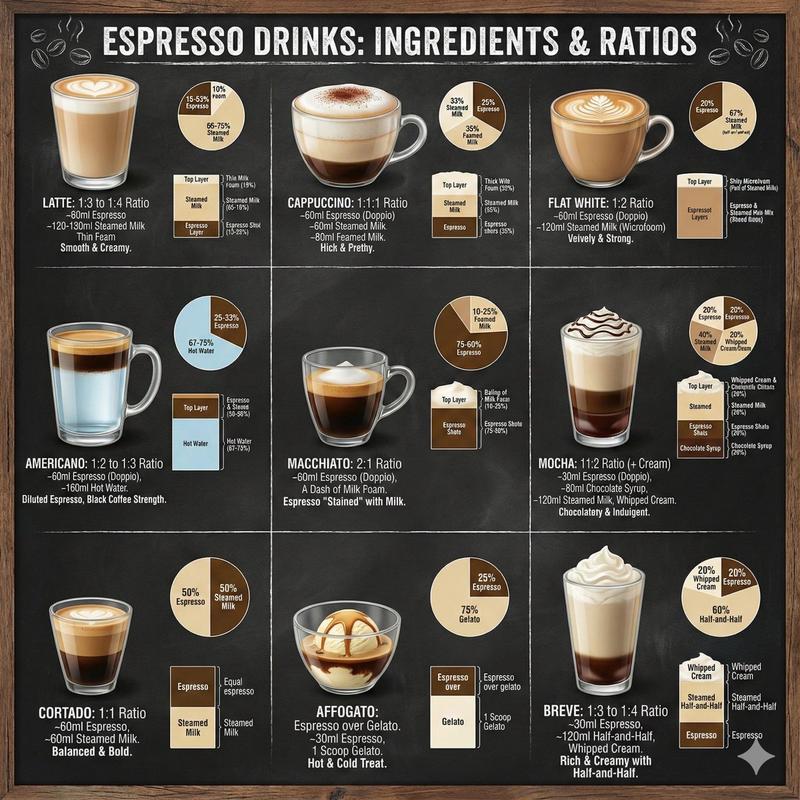
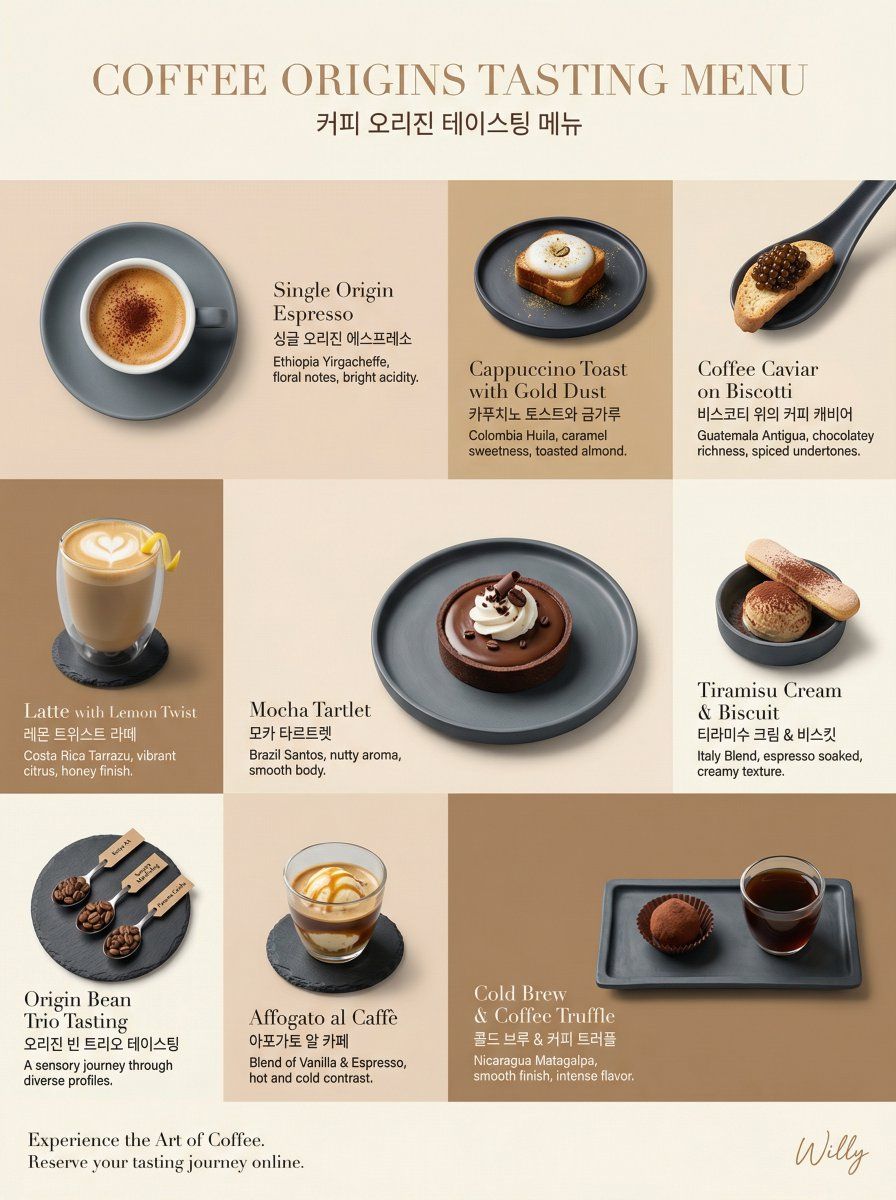
Luxury coffee tasting menu layout, irregular grid composition, 9:16 aspect ratio for webpage.
LAYOUT: Irregular 3x3 grid, varied cell sizes, flowing editorial arrangement
BACKGROUND: Tone-on-tone panels - alternating {argument name="color 1" default="latte beige (#F2E2D2)"}, {argument name="color 2" default="mocha brown (#D1B48F)"}, and coffee cream (#FAF5E6) creating a subtle caffeinated rhythm
PRODUCT EXPRESSION: Product only, overhead and 45-degree angles mixed, plated presentation on minimalist slate ceramics
TONE STRATEGY: Tone-on-tone - coffee colors harmonize with background tones, an ethereal blend
MAIN ELEMENTS: Individual coffee tastings - Espresso with crema foam, Cappuccino toast with gold dust, Caviar on blinis substituted with coffee caviar on biscotti, Latte with lemon twist, Mocha tartlet, each on matching plates, consistent soft lighting
TYPOGRAPHY: Bilingual - English names in elegant light serif (Didot), English/Korean below in clean sans-serif, small origin descriptions in light gray
CAMERA: Canon EOS R5, 100mm Macro for details, 50mm for full plates, soft diffused overhead lighting, side rim lighting
STYLE: Minimal + Luxury hybrid - generous whitespace, refined typography, coffee colors as primary source
Style keywords: coffee, tasting menu, tone-on-tone, luxury, webpage

A delicate handwritten signature "Willy" is elegantly placed in small letters at the bottom right corner..
Category
创意图片
Model
Nano Banana Pro
Creator
Willy
Views0
Source ID
384929a2-2ba3-4705-8e6a-0286db192d10
Published
Mar 8, 2026

Guide

About "奢华咖啡品鉴菜单布局提示"

What is this prompt for?

"奢华咖啡品鉴菜单布局提示" AI image prompt for Nano Banana Pro (创意图片). 一个高度结构化的提示,用于生成一个奢华、极简、同色调的咖啡品鉴菜单网页布局,详细说明了网格构成、调色板、产品展示、排版和相机细节。 --- 奢华咖啡品鉴菜单布局,不规则网格构图,网页宽高比为 9:16…

The full copyable prompt and example visuals above are ready for AI image generation or one-click recreate in Picva.

How to use this prompt

  1. Step 1

    Open the prompt detail

    Review the example visuals, category, and full prompt text for "奢华咖啡品鉴菜单布局提示".

  2. Step 2

    Copy the prompt

    Copy the prompt body from this page, or load it directly in Studio.

  3. Step 3

    Pick a model (Nano Banana Pro)

    Prefer Nano Banana Pro. If you switch models, keep subject and composition and tweak style terms.

  4. Step 4

    Generate and export

    Recreate the look in Picva, or export into your workflow for editing and publishing.

FAQ

What is the "奢华咖啡品鉴菜单布局提示" prompt?
It is an AI image-generation prompt for Nano Banana Pro in the 创意图片 category. This page includes the full prompt text, example visuals, and a one-click recreate path in Picva.
How do I use this prompt to generate an image?
Copy the prompt from this page, or use Generate / Studio. Paste it into a compatible image model, or recreate the look in Picva with optional reference images.
Which model is this prompt for?
This page lists Nano Banana Pro. Most descriptive prompts also transfer to nearby image models such as GPT Image, Flux, or Midjourney with light style tweaks.
Can I use the result commercially?
You can usually copy the prompt for creation, but commercial use of the final image depends on the model terms, reference-image rights, and the generated content. Follow the source author and platform rules.