15

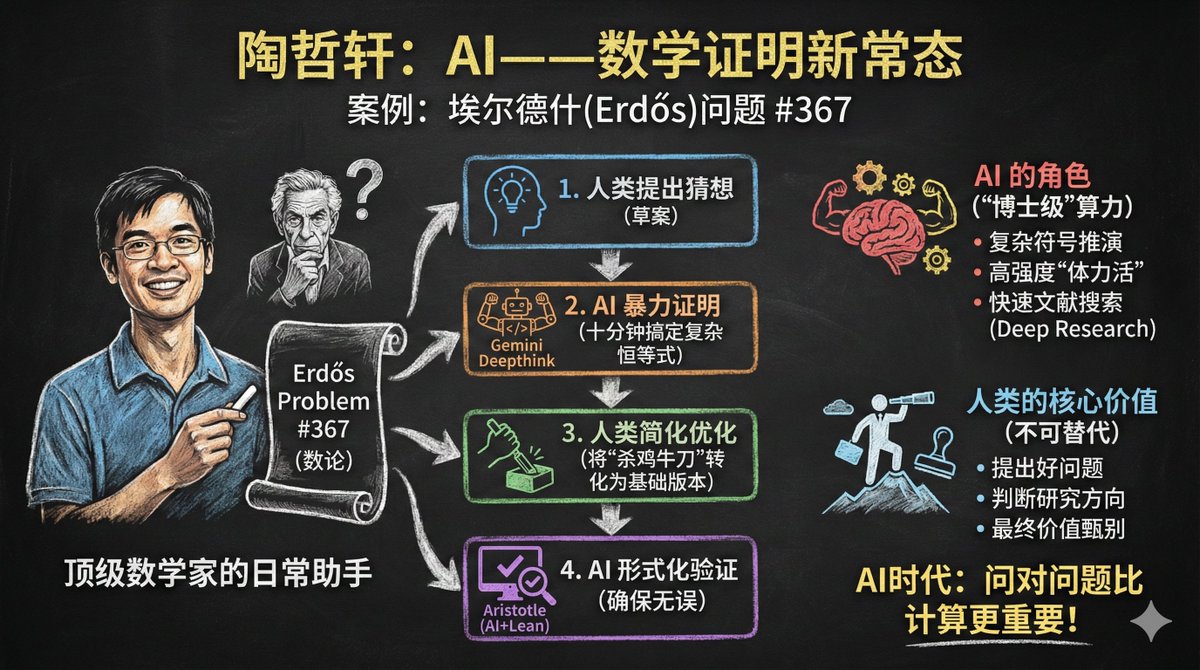
将文章变成黑板报
Enlarge

Example images

将文章变成黑板报

Prompt
Please create an infographic based on the input content, highlighting key themes and essential points:

- Simplify information, emphasizing keywords and core concepts, leaving ample whitespace for clarity.

- Include minimalistic cartoon elements, icons, or simple portraits of famous figures to enhance engagement and visual recall.

- All text and images should strictly use colored chalk style without realistic illustrations.

- Unless specifically requested, maintain the original language of the input content.

- Use a horizontal layout (16:9) with a black chalkboard background and colorful chalk drawing style.

Use "nano banana pro" for drawing based on the provided content.
Category
创意图片
Model
Nano Banana Pro
Creator
@dotey
Views4
Source ID
3c273733-0a22-400d-8391-17e8f58295f9
Published
Dec 27, 2025

Guide

About "将文章变成黑板报"

What is this prompt for?

"将文章变成黑板报" AI image prompt for Nano Banana Pro (创意图片). 创意图片 Copy it on Picva and recreate the look in one click.

The full copyable prompt and example visuals above are ready for AI image generation or one-click recreate in Picva.

How to use this prompt

  1. Step 1

    Open the prompt detail

    Review the example visuals, category, and full prompt text for "将文章变成黑板报".

  2. Step 2

    Copy the prompt

    Copy the prompt body from this page, or load it directly in Studio.

  3. Step 3

    Pick a model (Nano Banana Pro)

    Prefer Nano Banana Pro. If you switch models, keep subject and composition and tweak style terms.

  4. Step 4

    Generate and export

    Recreate the look in Picva, or export into your workflow for editing and publishing.

FAQ

What is the "将文章变成黑板报" prompt?
It is an AI image-generation prompt for Nano Banana Pro in the 创意图片 category. This page includes the full prompt text, example visuals, and a one-click recreate path in Picva.
How do I use this prompt to generate an image?
Copy the prompt from this page, or use Generate / Studio. Paste it into a compatible image model, or recreate the look in Picva with optional reference images.
Which model is this prompt for?
This page lists Nano Banana Pro. Most descriptive prompts also transfer to nearby image models such as GPT Image, Flux, or Midjourney with light style tweaks.
Can I use the result commercially?
You can usually copy the prompt for creation, but commercial use of the final image depends on the model terms, reference-image rights, and the generated content. Follow the source author and platform rules.











