17

Please generate an actual screenshot from a fictional next-generation 3D anime-s
Enlarge

Please generate an actual screenshot from a fictional next-generation 3D anime-s

Prompt
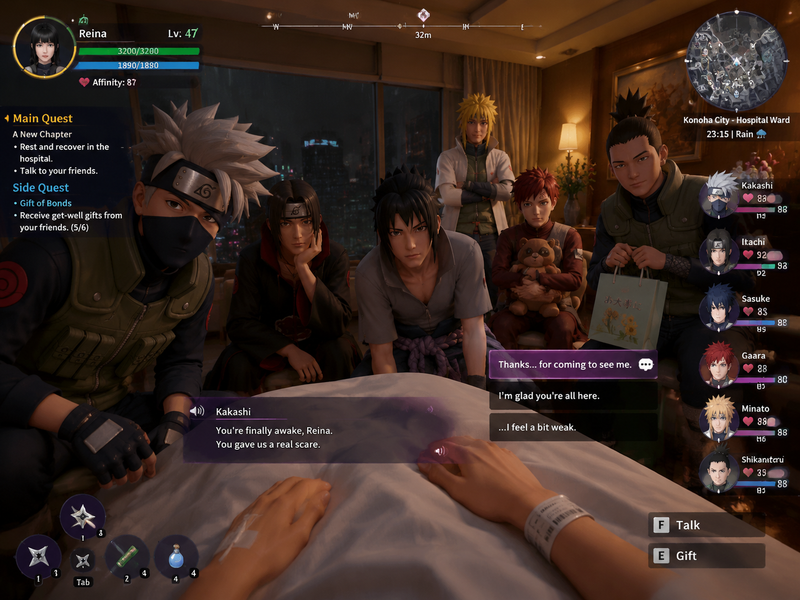
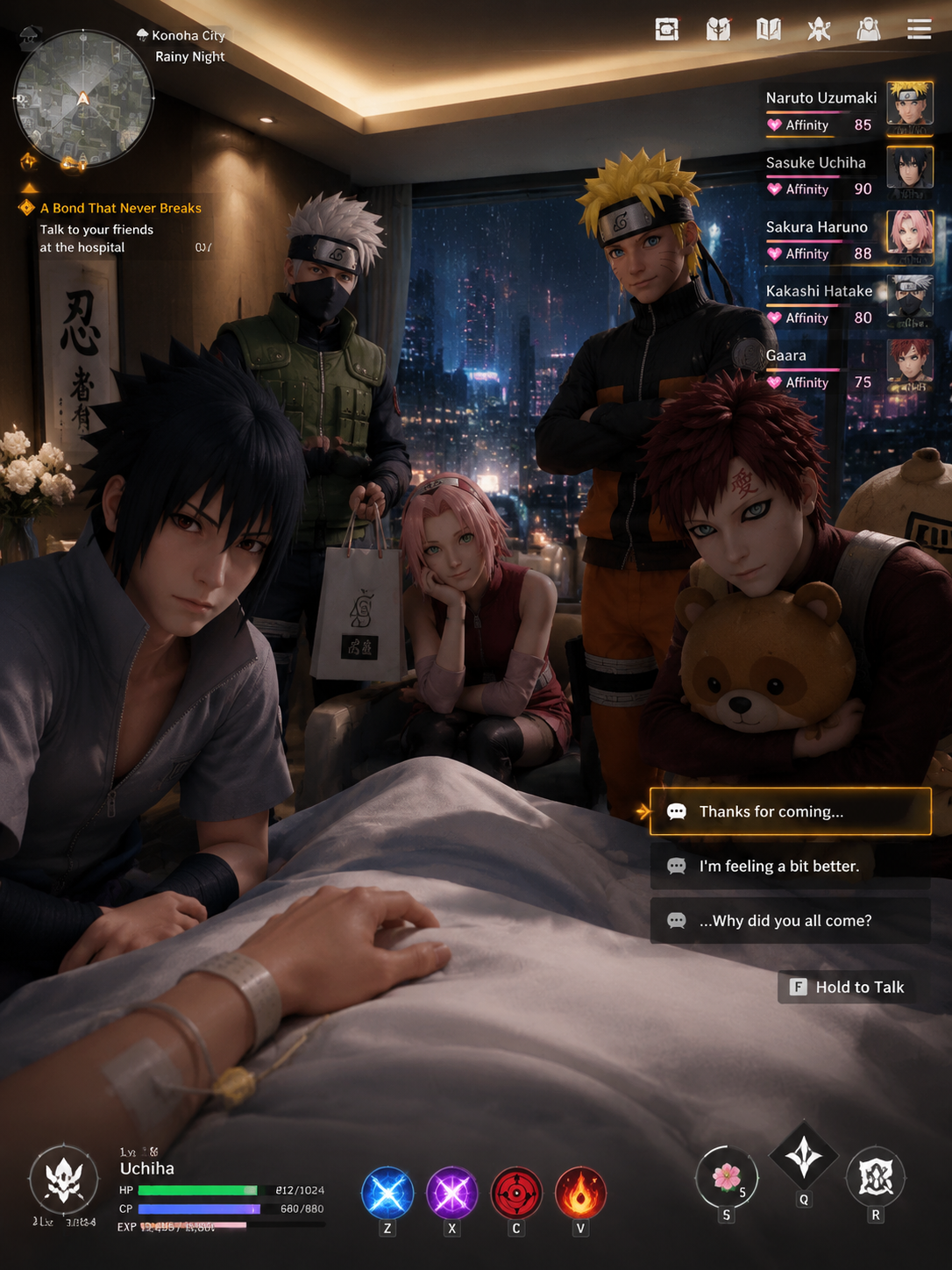
Please generate an actual screenshot from a fictional next-generation 3D anime-style open-world RPG game from a boyfriend first-person POV perspective. The scene takes place inside a modern Japanese luxury hospital room, where the protagonist is lying on a hospital bed after waking up. Soft ambient lighting fills the room, while rainy nighttime city lights glow faintly outside the window, creating a calm and intimate atmosphere.

Surrounding the hospital bed are famous male characters from Naruto. They are rendered in high-quality next-generation anime-style 3D graphics with Unreal Engine 5-level character modeling, cinematic lighting, realistic skin shading, and expressive facial animations.

leans slightly toward the bed with a worried yet gentle expression. quietly sits beside the bed, resting her chin on her hand. looks down toward the camera with a proud but subtly concerned gaze. stands in the background with a relieved smile. sits nearby hugging a plush toy, while carries a small gift bag for the visit. Their poses and interactions feel natural and emotionally immersive.

The screenshot should include a fully playable RPG game UI, including a minimap, quest objectives, dialogue choices, interaction prompts, character portraits, relationship affinity indicators, and player status bars. The overall presentation should resemble a polished AAA anime open-world RPG with cinematic depth of field, volumetric lighting, detailed UI design, and immersive girlfriend POV gameplay presentation.
Category
Charts & Infographics
Model
GPT Image 2
Creator
Retnoo
Views298
Source ID
3127
Published
May 12, 2026

Guide

About "Please generate an actual screenshot from a fictional next-generation 3D anime-s"

What is this prompt for?

"Please generate an actual screenshot from a fictional next-generation 3D anime-s" AI image prompt for GPT Image 2 (Charts & Infographics). Please generate an…

The full copyable prompt and example visuals above are ready for AI image generation or one-click recreate in Picva.

How to use this prompt

  1. Step 1

    Open the prompt detail

    Review the example visuals, category, and full prompt text for "Please generate an actual screenshot from a fictional next-generation 3D anime-s".

  2. Step 2

    Copy the prompt

    Copy the prompt body from this page, or load it directly in Studio.

  3. Step 3

    Pick a model (GPT Image 2)

    Prefer GPT Image 2. If you switch models, keep subject and composition and tweak style terms.

  4. Step 4

    Generate and export

    Recreate the look in Picva, or export into your workflow for editing and publishing.

FAQ

What is the "Please generate an actual screenshot from a fictional next-generation 3D anime-s" prompt?
It is an AI image-generation prompt for GPT Image 2 in the Charts & Infographics category. This page includes the full prompt text, example visuals, and a one-click recreate path in Picva.
How do I use this prompt to generate an image?
Copy the prompt from this page, or use Generate / Studio. Paste it into a compatible image model, or recreate the look in Picva with optional reference images.
Which model is this prompt for?
This page lists GPT Image 2. Most descriptive prompts also transfer to nearby image models such as GPT Image, Flux, or Midjourney with light style tweaks.
Can I use the result commercially?
You can usually copy the prompt for creation, but commercial use of the final image depends on the model terms, reference-image rights, and the generated content. Follow the source author and platform rules.