17

MacOS Photo Booth表情玩法复刻
Enlarge

Example images

MacOS Photo Booth表情玩法复刻

Prompt
😄嘿嘿!
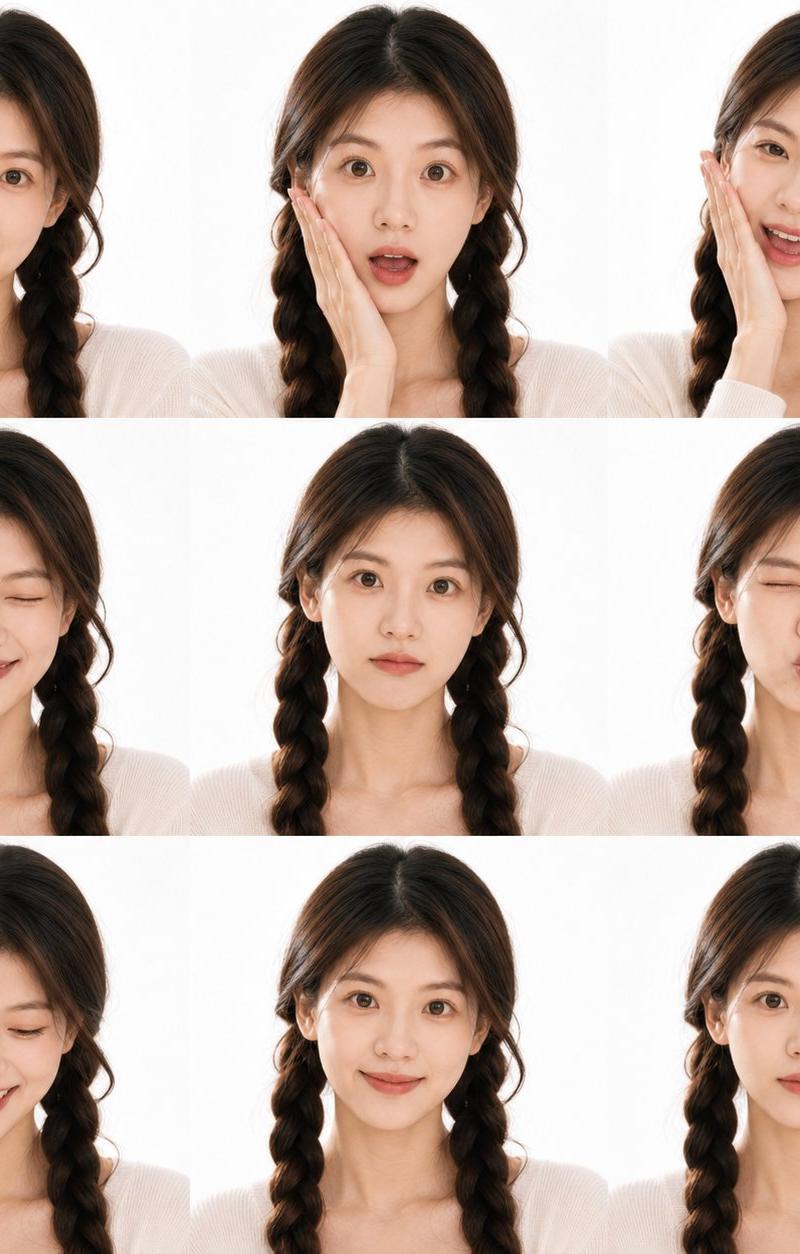
今日复刻一个Apple 自带PhotoBooth的玩法,直接上传你
的照片,就会生成9宫格的搞怪表情哈哈~
😍天天看美女不腻么?来点不同的玩法啊~
🇨🇳中文Prompt:
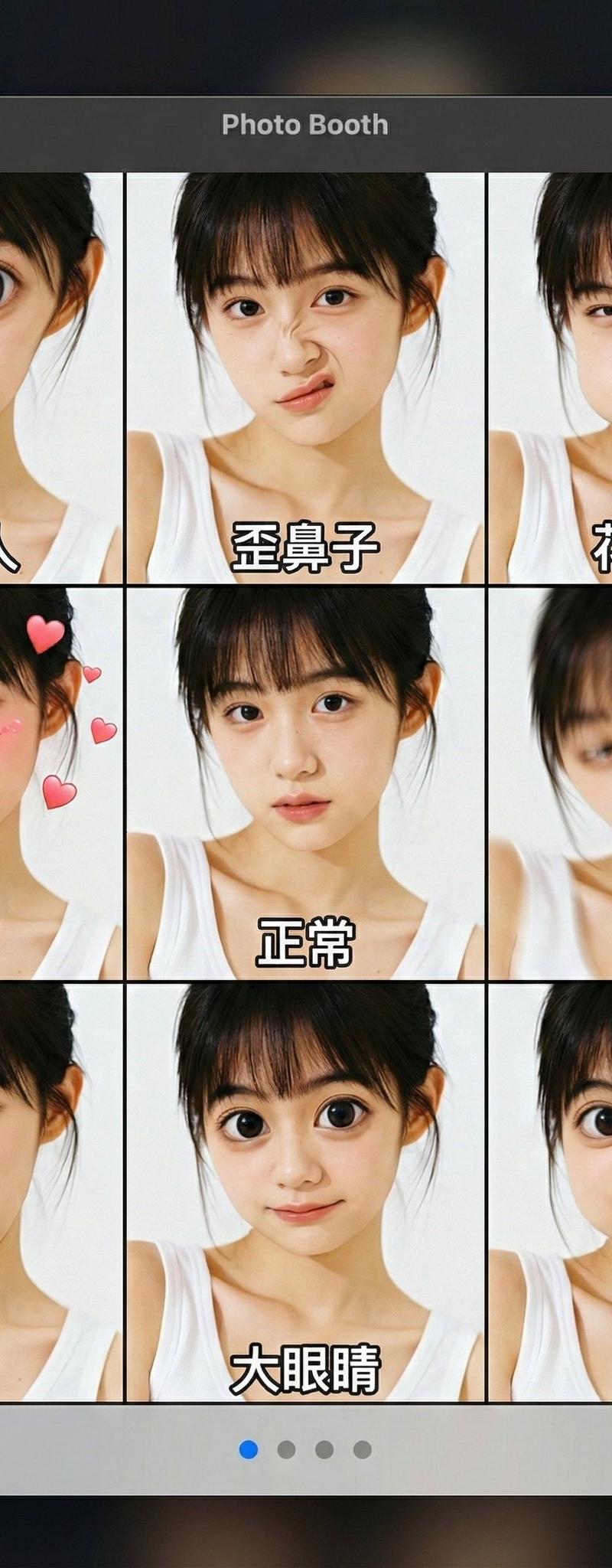
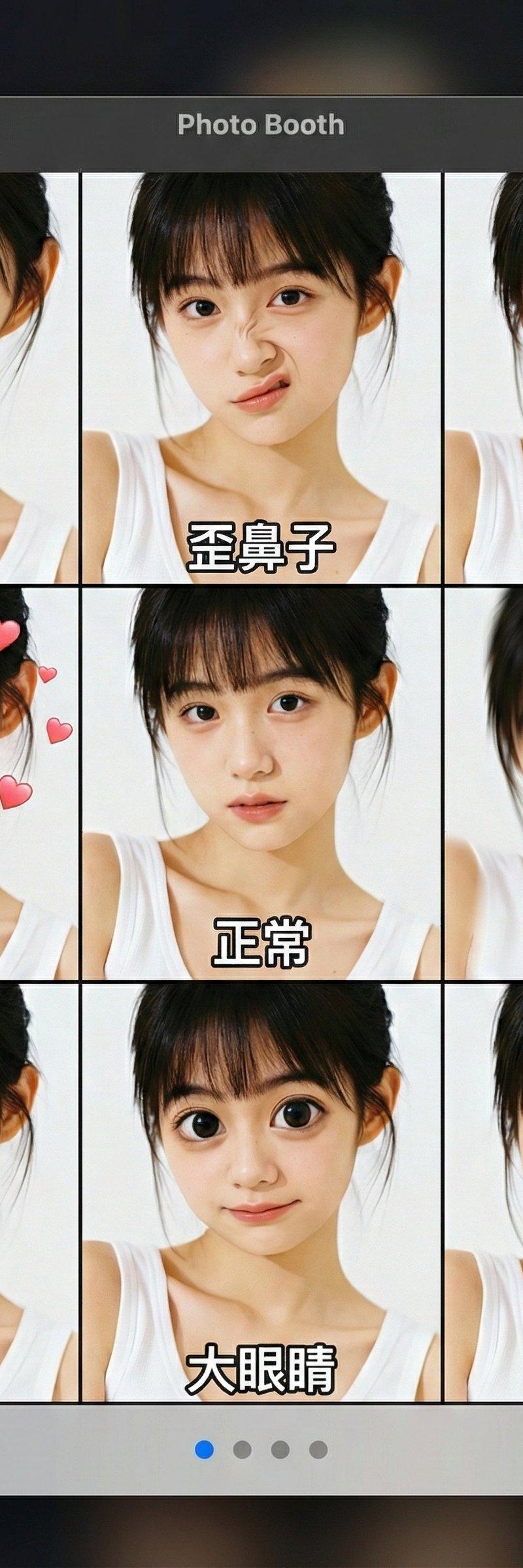
一个完整的MacOS Photo Booth应用程序界面截图,顶部标题栏显示 "Photo Booth"。主窗口是一个9宫格布局,每个格子都显示着用户上传的人物,但应用了不同的滑稽效果。每个格子的底部都有白色中文字幕:
第一排:外星人、歪鼻子、花栗鼠
第二排:热恋、正常、头晕
第三排:笨蛋、大眼睛、青蛙
底部是带有左右箭头、四个导航点(第一个蓝色)和 "效果" 按钮的灰色控制栏。背景是深色且模糊的。
🇺🇸English Prompt:
A complete screenshot of the MacOS Photo Booth application interface, with the top title bar displaying "Photo Booth". The main window has a 9-grid layout, and each grid shows a user-uploaded person with different funny effects applied. At the bottom of each grid, there are white Chinese subtitles: First row: Alien, Crooked Nose, Chipmunk; Second row: Madly in Love, Normal, Dizzy; Third row: Fool, Big Eyes, Frog. At the bottom is a gray control bar with left and right arrows, four navigation dots (the first one is blue), and an "Effects" button. The background is dark and blurred.
Category
Photography & Realism
Model
Unknown
Creator
Berryxia.AI
Source language
zh-CN
Views0
Source ID
macos-photo-booth-funny-effects-recreation
Studio

Guide

About "MacOS Photo Booth表情玩法复刻"

What is this prompt for?

"MacOS Photo Booth表情玩法复刻" AI image prompt for Unknown (Photography & Realism). 😄嘿嘿! 今日复刻一个Apple 自带PhotoBooth的玩法,直接上传你 的照片,就会生成9宫格的搞怪表情哈哈~ 😍天天看美女不腻么?来点不同的玩法啊~…

The full copyable prompt and example visuals above are ready for AI image generation or one-click recreate in Picva.

How to use this prompt

  1. Step 1

    Open the prompt detail

    Review the example visuals, category, and full prompt text for "MacOS Photo Booth表情玩法复刻".

  2. Step 2

    Copy the prompt

    Copy the prompt body from this page, or load it directly in Studio.

  3. Step 3

    Pick a model (Unknown)

    Prefer Unknown. If you switch models, keep subject and composition and tweak style terms.

  4. Step 4

    Generate and export

    Recreate the look in Picva, or export into your workflow for editing and publishing.

FAQ

What is the "MacOS Photo Booth表情玩法复刻" prompt?
It is an AI image-generation prompt for Unknown in the Photography & Realism category. This page includes the full prompt text, example visuals, and a one-click recreate path in Picva.
How do I use this prompt to generate an image?
Copy the prompt from this page, or use Generate / Studio. Paste it into a compatible image model, or recreate the look in Picva with optional reference images.
Which model is this prompt for?
This page lists Unknown. Most descriptive prompts also transfer to nearby image models such as GPT Image, Flux, or Midjourney with light style tweaks.
Can I use the result commercially?
You can usually copy the prompt for creation, but commercial use of the final image depends on the model terms, reference-image rights, and the generated content. Follow the source author and platform rules.