Nano Banana Pro - 桌面小動物化提示
Prompt
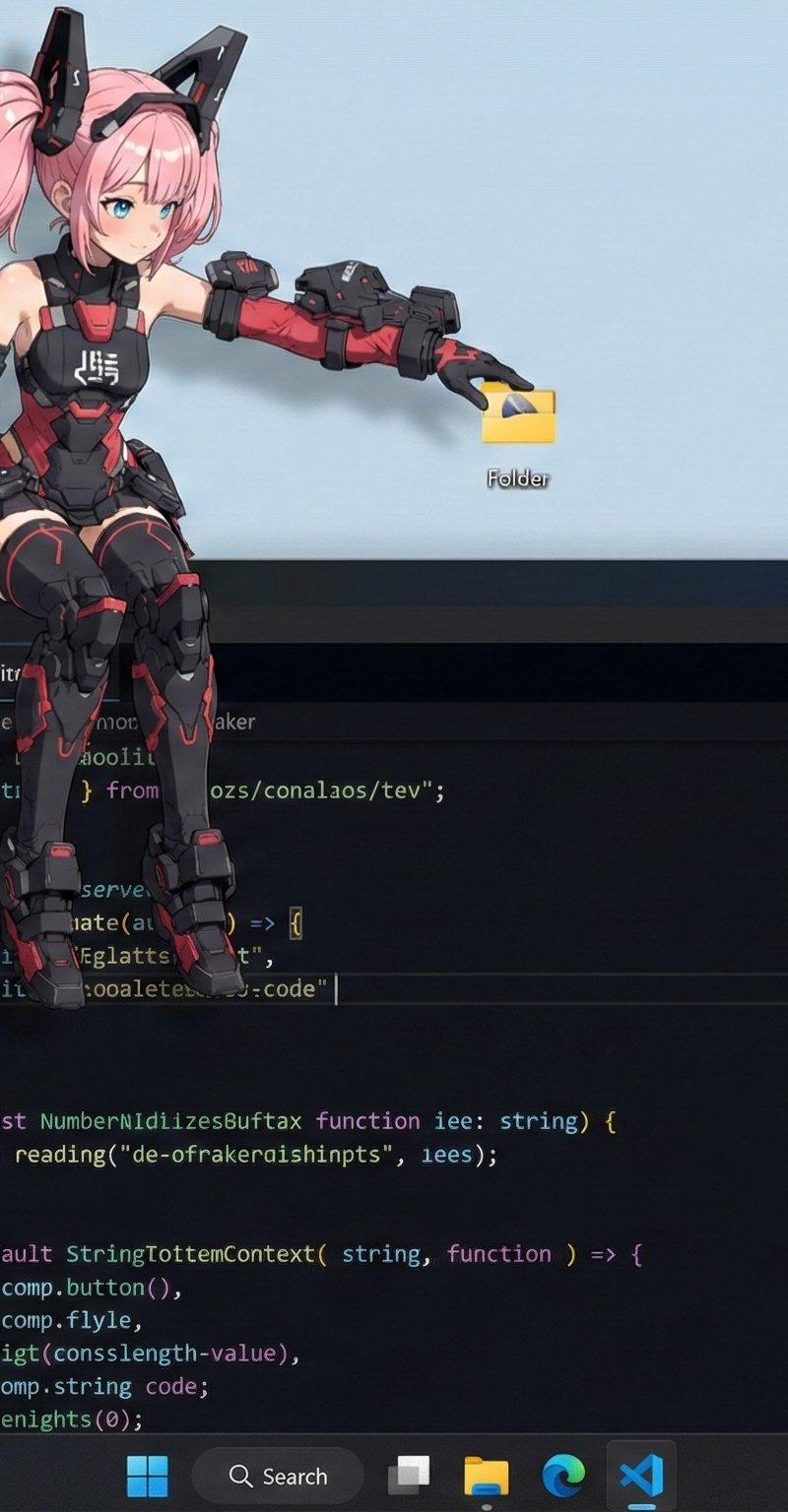
Nano Banana Proで遊ぼう
【デスクトップマスコット化プロンプト】
⠀
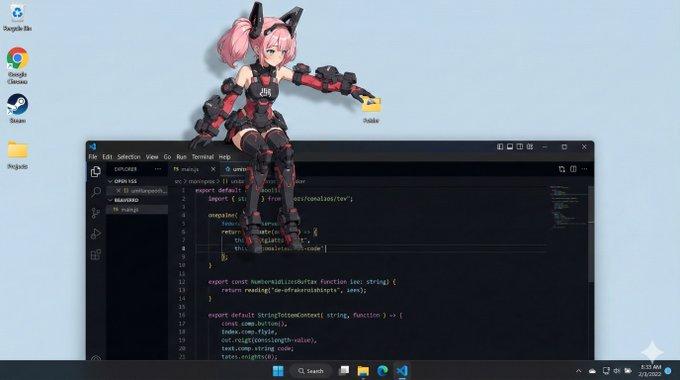
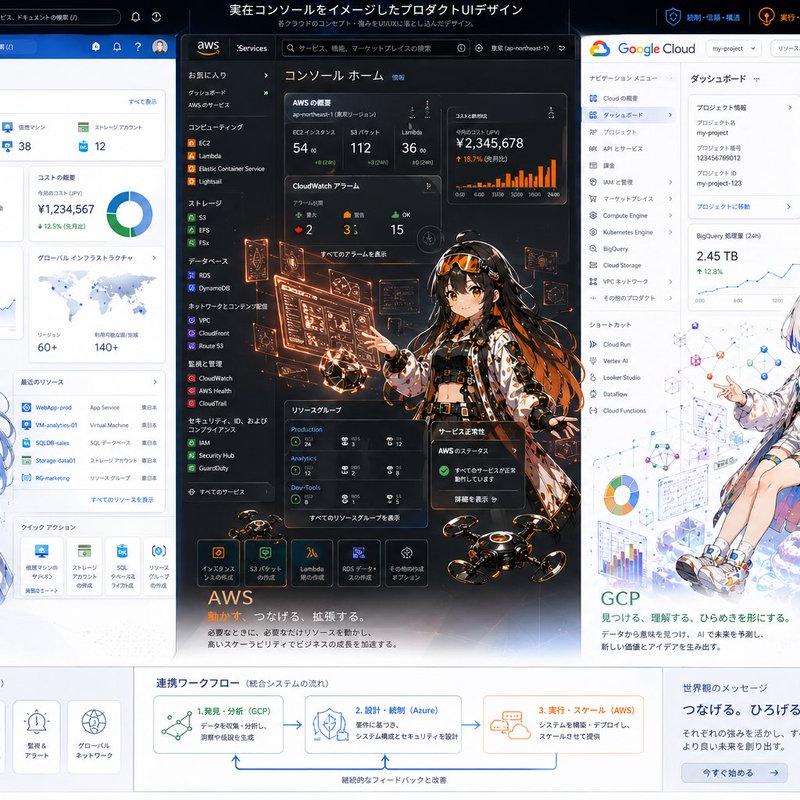
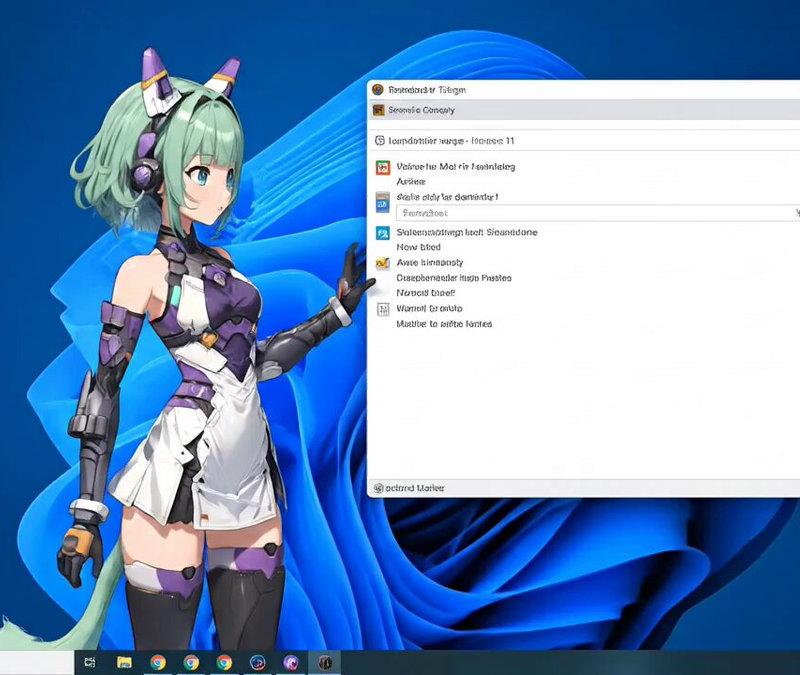
参照画像のキャラクターを
デスクトップマスコット化して
PC画面に配置した画像を生成する
プロンプトです。
⠀
キャラクターがウィンドウの上に
寝そべったり、腰かけたり
アイコンを触ったりします。
OSをWindows風/macOS風から
選択できます(リプ欄で説明)。
⠀
お気に入りのイラストを
デスクトップマスコットに
しちゃいましょう!
⠀⠀
プロンプト:
os_environment:
- Choose one: "Windows 11 style desktop" or "macOS Sonoma style desktop"
- If not specified, let the model choose the most natural OS UI
- Use authentic UI elements based on the selected OS
subject:
- A character based on reference image A
- Rendered with semi-3D, anime-style shading
- Clear solid shadows and highlights defining volume
- Appears as a desktop mascot overlay interacting with real OS UI
composition:
- A realistic computer desktop in 16:9 aspect ratio
- Include authentic-looking application windows and icons
- Character positioned naturally on or around these UI elements
action:
- Allow the model to freely choose mascot-like behaviors such as:
- lying across the top edge of a window
- sitting on a window frame
- touching, inspecting, or reacting to icons
- peeking from behind folders or apps
- Actions should feel physically grounded and slightly playful
location:
- Displayed on a real OS-style desktop (Windows/macOS)
- Show recognizable UI elements (e.g., Chrome window, folder icons, taskbar/dock)
- Icons and windows appear authentic but used only as background elements
style:
- Semi-3D anime shading (soft cel-shaded look)
- Defined shadows instead of rim lighting
- Clean digital rendering that blends naturally with real desktop UI
camera_lighting:
- Neutral frontal or top lighting to create solid, directional shadows
- Soft ambient light to keep color harmony with the desktop
- Screenshot-like straight-on camera angle
colors:
- Desktop in cool OS-like tones
- Character colors follow reference A accurately
- Shadows emphasized for 3D volume
text:
- None unless needed
edit_instructions:
- Use reference A for character accuracy
- Emphasize 3D-like volume with clear shadow planes
- Ensure the character appears layered above real desktop UI elements
- Keep real UI assets unmodified and only as contextual background
references:
A: "Character appearance reference"
extras:
- high resolution
- realistic OS UI rendering
- clean compositing and precise layer separation
- allow creative mascot-like movement
- Category
- Photography & Realism
- Model
- Nano Banana Pro
- Creator
- てんねん
- Source language
- zh-CN
- Source ID
- nano-banana-pro-desktop-mascot-prompt
Views0