20

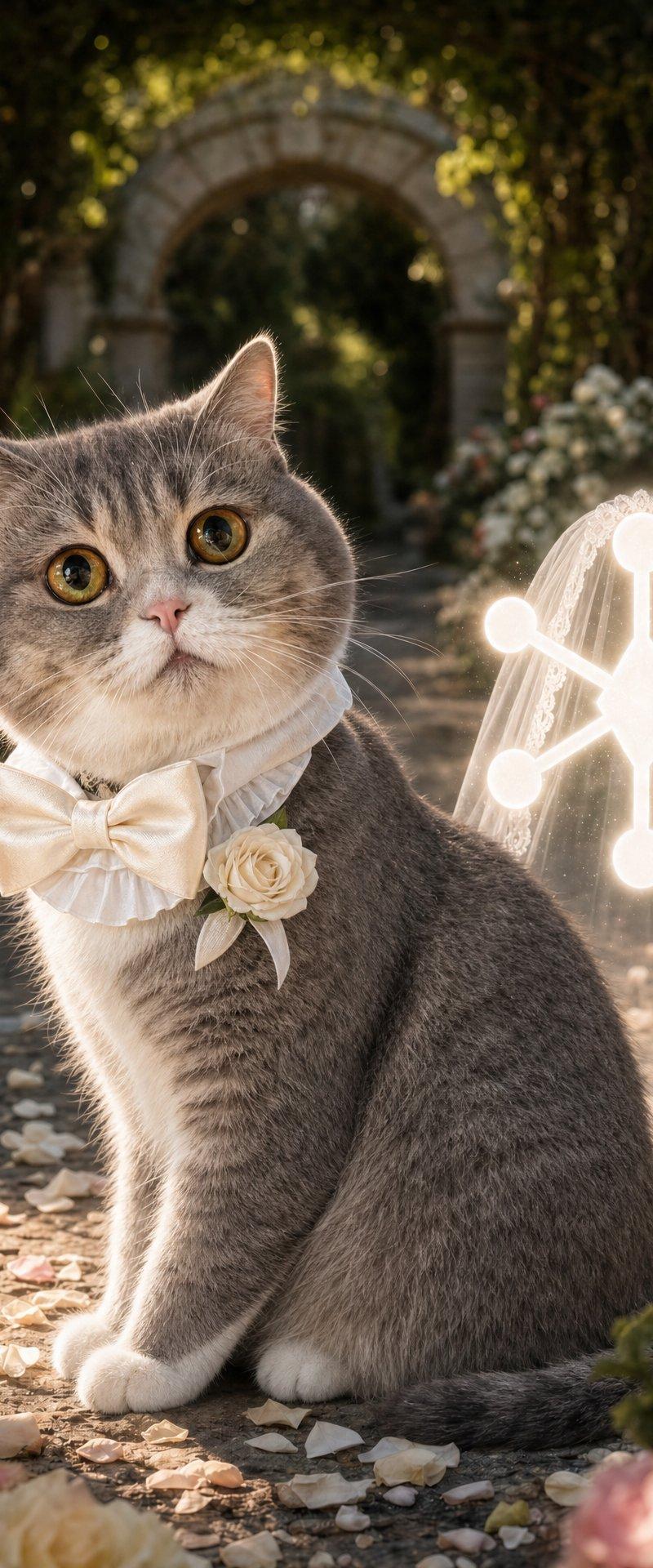
Cat Groom Garden Wedding Portrait
Enlarge

Example images

Cat Groom Garden Wedding Portrait

Prompt
Create a photorealistic luxury wedding portrait of a cute {argument name="cat breed" default="British Shorthair"} cat as the groom, sitting upright on a garden aisle. The cat has plush {argument name="fur color" default="gray tabby"} fur, round golden eyes, a small pink nose, alert ears, and a calm slightly curious expression while looking directly at the camera. Dress the cat in a formal white ruffled collar with a large ivory satin bow tie and one cream rose boutonniere pinned at the chest. Behind and slightly to the right, place a translucent white bridal veil standing upright like an invisible bride, edged with lace; on the veil area add a glowing white abstract Capafy-style logo made from one central diamond/star node connected to 6 round nodes. The setting is an elegant old European garden wedding venue: a stone path covered with pale rose petals, abundant pink, peach, and cream roses on both sides, classical stone statues and urns, an arched stone doorway in the background, tall trees and greenery forming a shaded canopy. Use warm golden-hour backlighting, soft bokeh, realistic fur detail, natural wedding-photography skin/fabric-style realism applied to cat fur and satin, shallow depth of field, cinematic romantic atmosphere, high-end editorial wedding photo look. Vertical 4:5 composition, cat centered slightly left, veil/logo centered right, foreground roses softly blurred, no text, no watermark, no humans.
Category
Charts & Infographics
Model
GPT Image 2
Creator
Capafy
Source language
en
Views143
Source ID
24486
Published
Jun 6, 2026
Studio

Guide

About "Cat Groom Garden Wedding Portrait"

What is this prompt for?

"Cat Groom Garden Wedding Portrait" AI image prompt for GPT Image 2 (Charts & Infographics). A photorealistic vertical wedding portrait of a dressed-up cat gro…

The full copyable prompt and example visuals above are ready for AI image generation or one-click recreate in Picva.

How to use this prompt

  1. Step 1

    Open the prompt detail

    Review the example visuals, category, and full prompt text for "Cat Groom Garden Wedding Portrait".

  2. Step 2

    Copy the prompt

    Copy the prompt body from this page, or load it directly in Studio.

  3. Step 3

    Pick a model (GPT Image 2)

    Prefer GPT Image 2. If you switch models, keep subject and composition and tweak style terms.

  4. Step 4

    Generate and export

    Recreate the look in Picva, or export into your workflow for editing and publishing.

FAQ

What is the "Cat Groom Garden Wedding Portrait" prompt?
It is an AI image-generation prompt for GPT Image 2 in the Charts & Infographics category. This page includes the full prompt text, example visuals, and a one-click recreate path in Picva.
How do I use this prompt to generate an image?
Copy the prompt from this page, or use Generate / Studio. Paste it into a compatible image model, or recreate the look in Picva with optional reference images.
Which model is this prompt for?
This page lists GPT Image 2. Most descriptive prompts also transfer to nearby image models such as GPT Image, Flux, or Midjourney with light style tweaks.
Can I use the result commercially?
You can usually copy the prompt for creation, but commercial use of the final image depends on the model terms, reference-image rights, and the generated content. Follow the source author and platform rules.