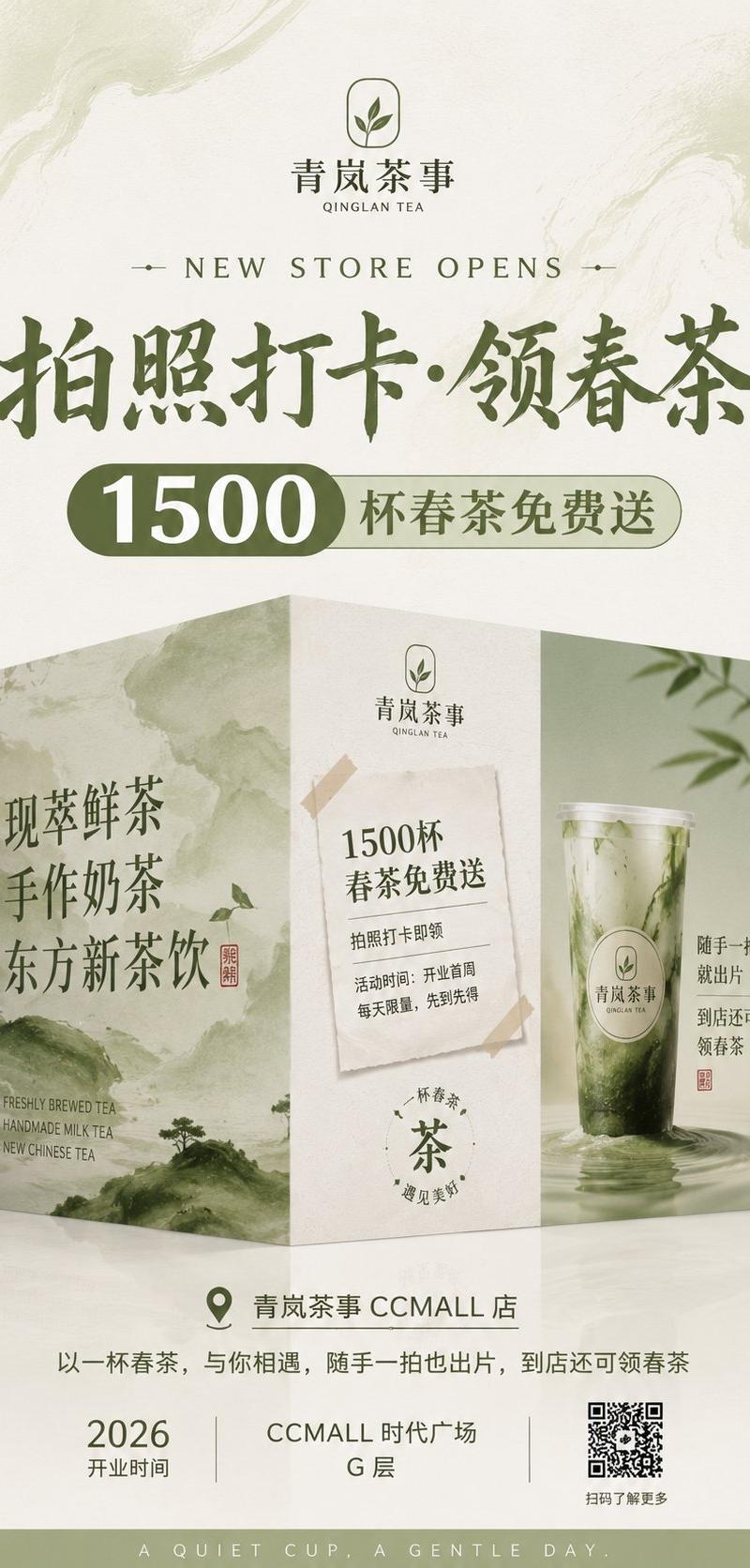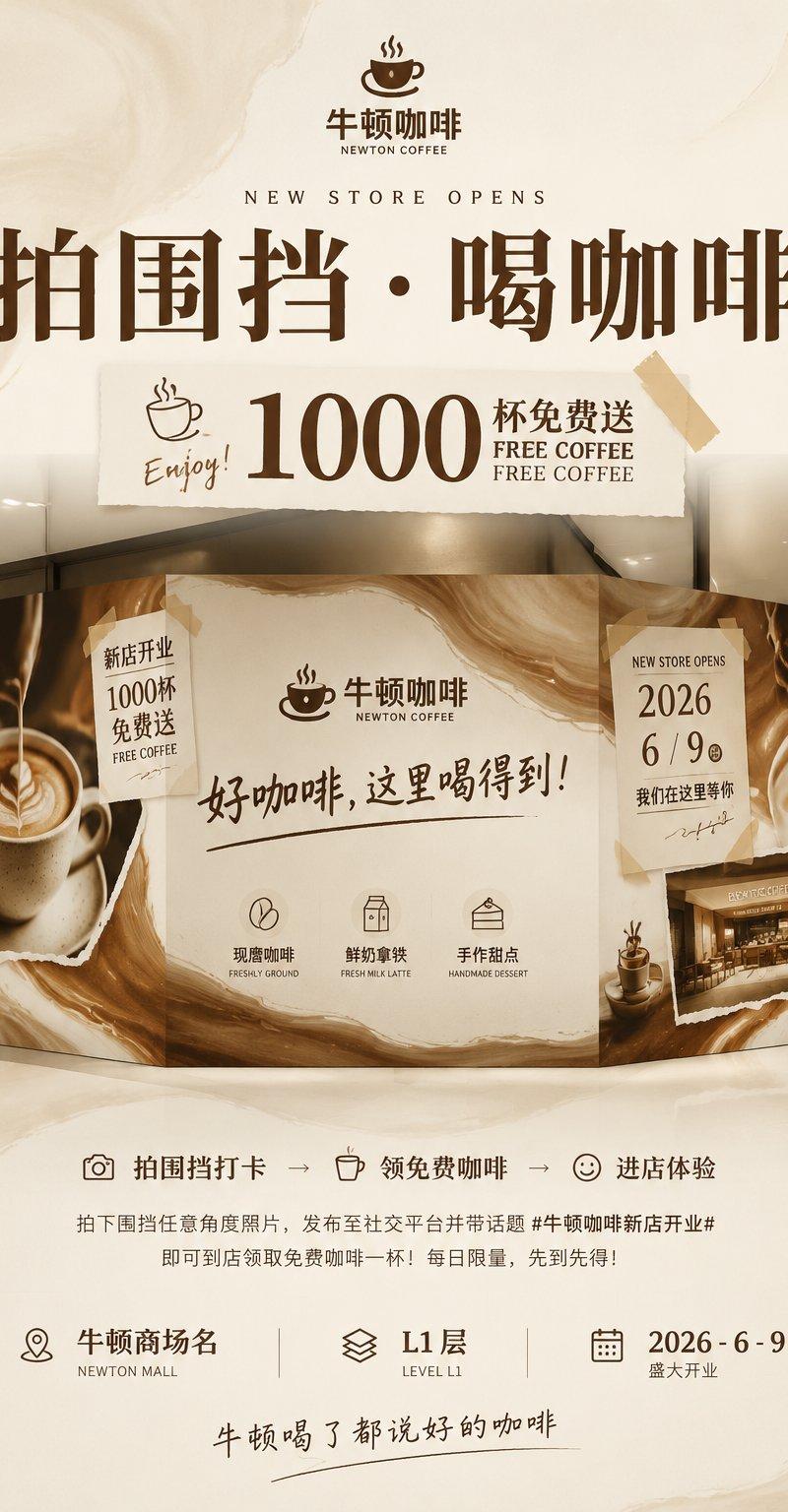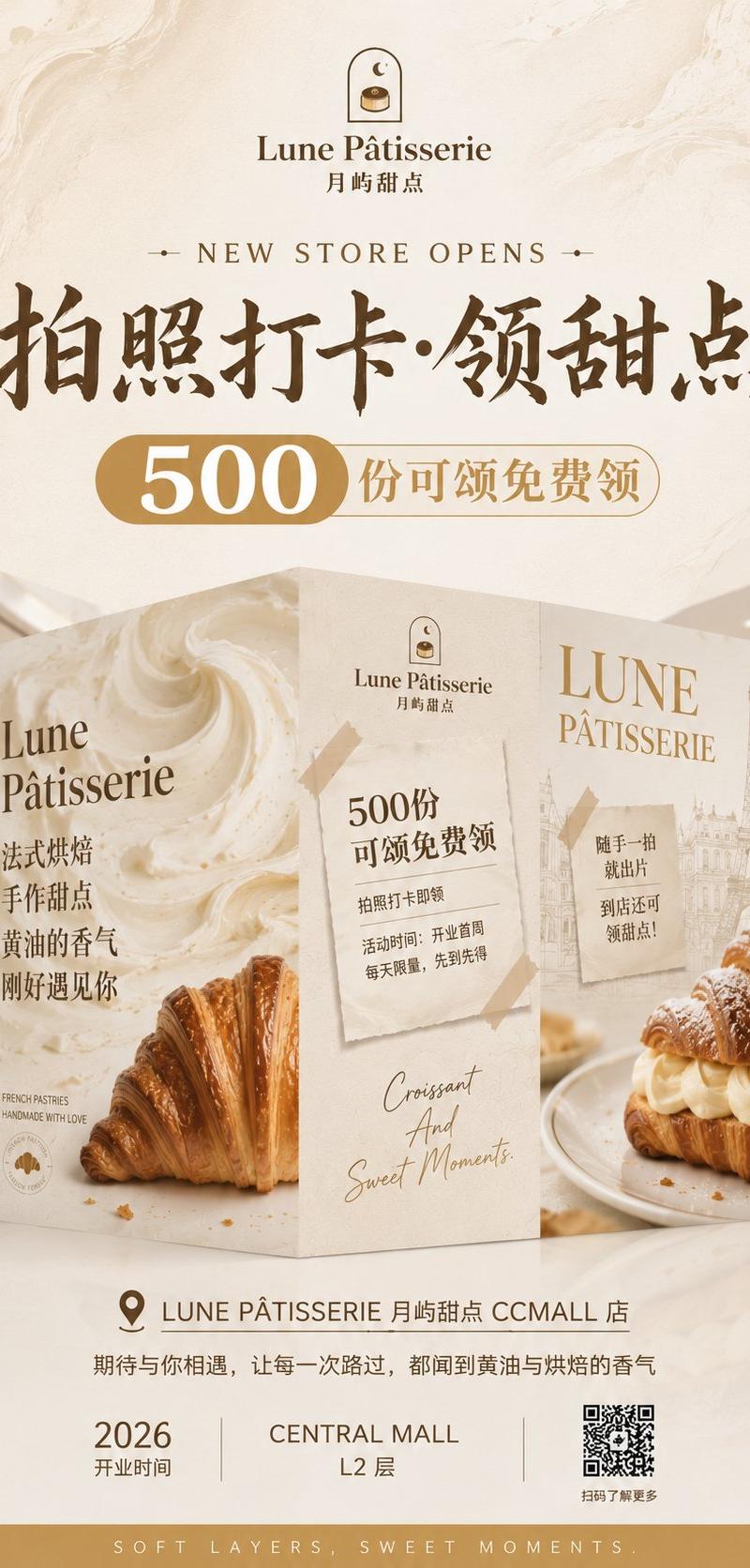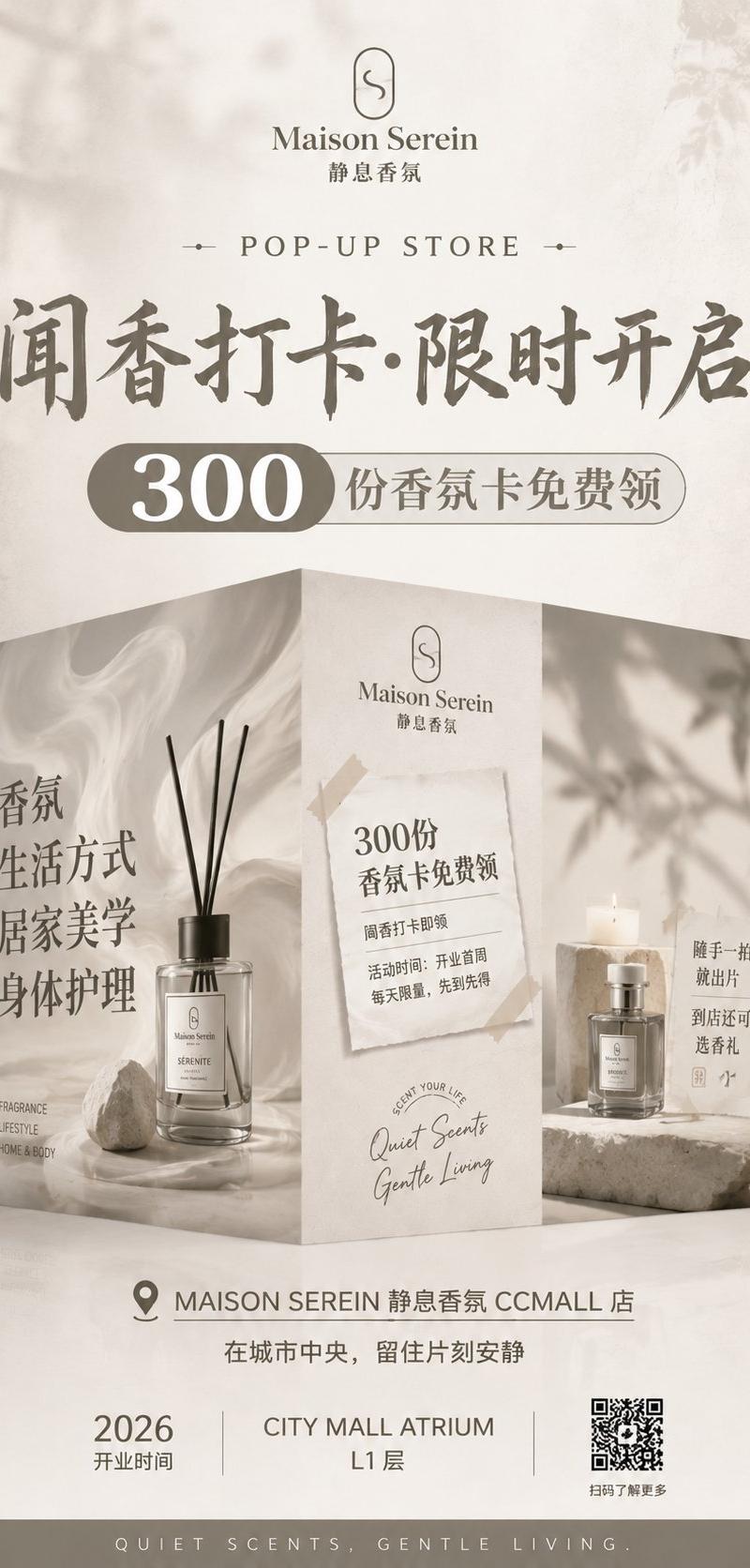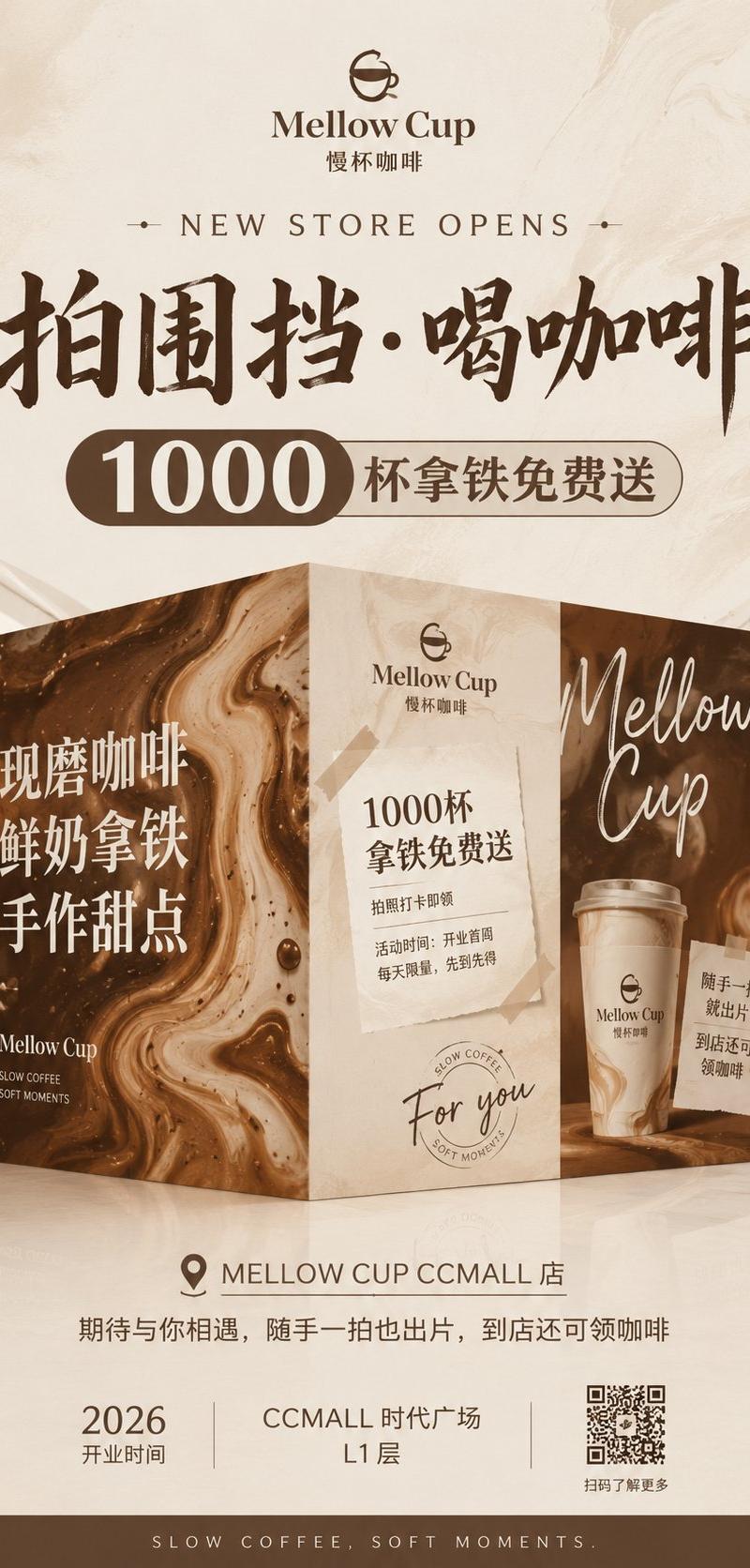
Mellow Cup 开业围挡海报
Prompt
Goal: Create a vertical grand-opening hoarding poster for a boutique coffee shop, featuring a premium beige-and-coffee-brown visual identity, a realistic 3D folded construction-wall display, large promotional typography, and store-opening information.

Canvas: Vertical poster, 9:16 ratio, warm cream marble background with subtle coffee-swirled texture, soft studio lighting, elegant premium retail advertising style.

Brand: Use the cafe logo at the top: a simple brown line icon of a cup forming a smiling face, with the brand name {argument name="brand name" default="Mellow Cup"} and Chinese subtitle “慢杯咖啡”. Overall mood is calm, mellow, artisanal, and slightly luxurious.

Layout: Top centered logo and brand name, then a small English line “NEW STORE OPENS” with tiny decorative dots on both sides. Below it, place a huge dark-brown brush-calligraphy Chinese headline: {argument name="main headline" default="拍围挡·喝咖啡"}. Under the headline, add a rounded capsule promotion bar: a dark brown left pill with large white number “1000”, connected to a beige outlined right pill reading “杯拿铁免费送”.

Central 3D installation: Show exactly 1 freestanding folded hoarding display made of 3 visible vertical panels, standing on a glossy cream floor with soft reflections. Panel 1, left: dark coffee-marble swirl texture with large white Chinese stacked text “现磨咖啡 / 鲜奶拿铁 / 手作甜点”, small logo text near the bottom “Mellow Cup”, and tiny English tagline “SLOW COFFEE / SOFT MOMENTS”. Panel 2, center: light beige stone-paper texture with the Mellow Cup logo near top, a taped paper notice containing “1000杯 / 拿铁免费送”, smaller lines “拍照打卡即领” and “活动时间:开业首周 / 每天限量,先到先得”, plus a hand-written “For you” and a faint circular coffee stamp near the bottom. Panel 3, right: dark coffee-marble swirl texture with large white handwritten script “Mellow Cup”, a realistic takeaway latte cup with the Mellow Cup logo, and a small taped note reading “随手一拍 / 就出片 / 到店还可 / 领咖啡”.

Bottom information area: Centered location row with a map pin icon and text “MELLOW CUP CCMALL 店”. Beneath it add the sentence “期待与你相遇,随手一拍也出片,到店还可领咖啡”. Then create exactly 3 bottom info blocks: left block shows “2026” and “开业时间”; center block shows {argument name="store location" default="CCMALL 时代广场 L1 层"}; right block contains a visible black-and-white QR code with caption “扫码了解更多”. Finish with a dark brown footer strip containing spaced uppercase text “SLOW COFFEE, SOFT MOMENTS.”

Color and materials: Cream, latte beige, espresso brown, white typography, polished marble, coffee foam swirls, kraft paper tape, soft shadows, photorealistic 3D mockup blended with clean graphic poster design.

Constraints: Use exactly 3 visible hoarding panels, exactly 3 bottom info blocks, exactly 1 QR code, and exactly 1 takeaway cup. Keep the typography crisp and centered, preserve the listed Chinese and English text accurately, do not add extra logos, people, or unrelated products.- Category
- Charts & Infographics
- Model
- GPT Image 2
- Creator
- Larus Canus
- Source language
- en
- Source ID
- 24989
- Published
- Jun 8, 2026
Views0