19

角色分析报纸撕裂效果
Enlarge

角色分析报纸撕裂效果

Prompt
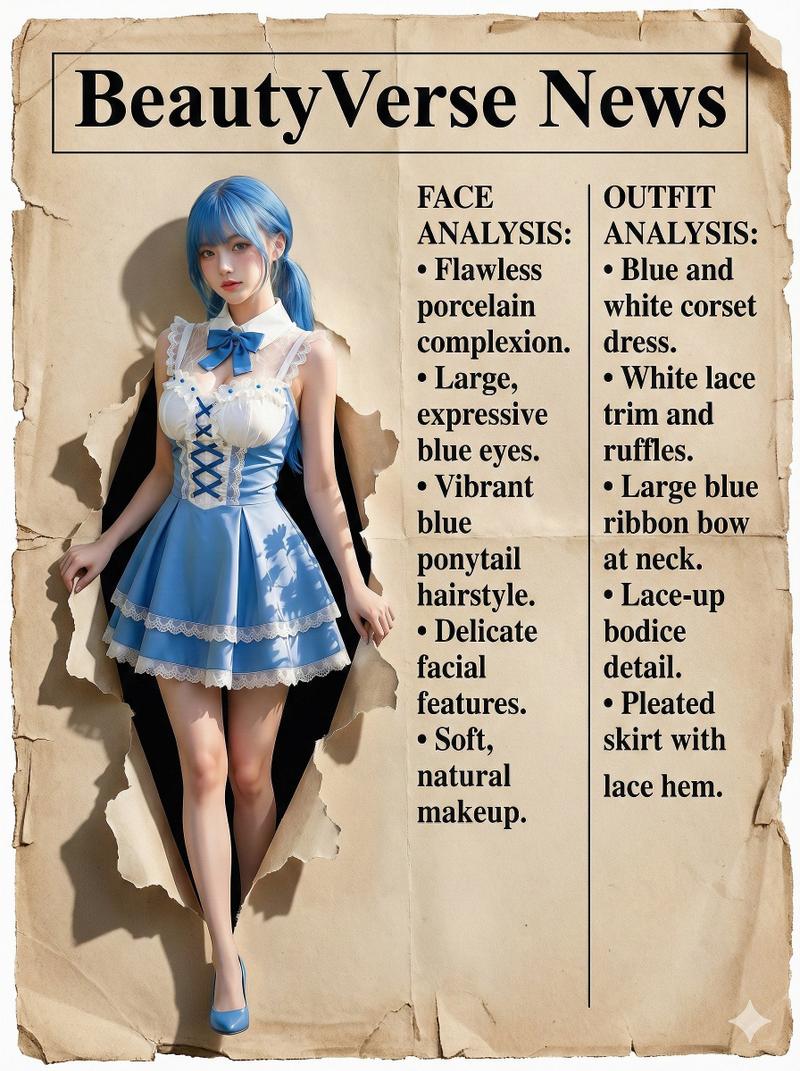
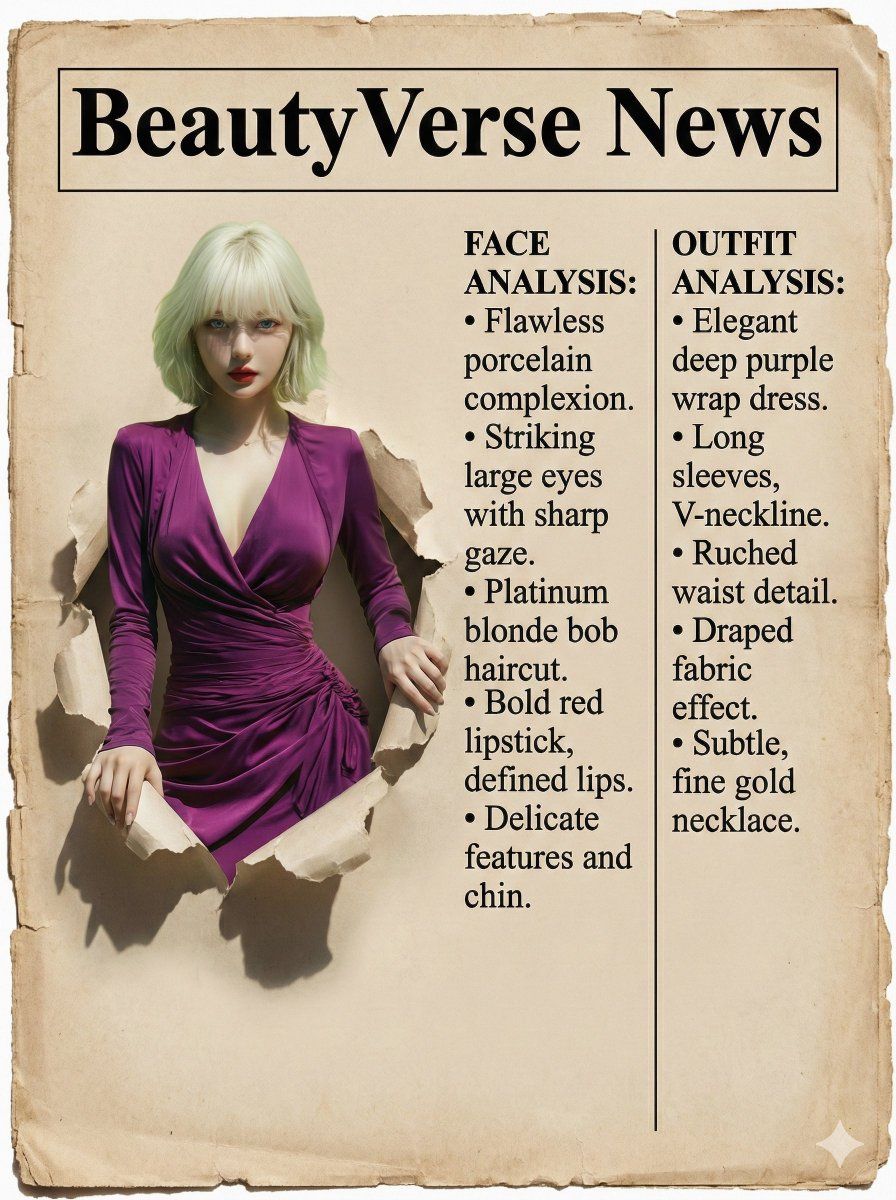
(Masterpiece), (best quality), professional vintage newspaper layout. The BACKGROUND is aged sepia newsprint texture with worn edges.
TOP HEADER: A distinct, clean rectangular banner area ready for text "{argument name="header text" default="BeautyVerse News"}".
LEFT SIDE (THE SUBJECT): A striking, CLEAN, PHOTOREALISTIC, HIGH-RESOLUTION 3D cutout of the woman from the input image, physically popping out from the flat paper surface. She has vibrant natural colors and sharp focus, completely UNTOUCHED by the sepia vintage texture or grunge, looking like a glossy, new photo placed on top of old paper. It casts realistic deep shadows onto the aged paper below to show thickness.
The woman is tearing through the vintage newspaper background with her hands, stepping out of the page.

RIGHT SIDE (THE COLUMNS): Printed directly onto the aged paper background. The layout is strictly divided into TWO SEPARATE VERTICAL COLUMNS of black printed text.
COLUMN 1 (Inner Left): Simulated article analyzing the face. Format: BULLET POINTS list structure.
COLUMN 2 (Outer Right): Simulated article analyzing the outfit. Format: BULLET POINTS list structure.
DETAILS: Sharp black printed serif font, typewriter style, formal journalism aesthetic. Clean and organized layout (no messy handwriting). --ar 3:4
Category
创意图片
Model
Nano Banana Pro
Views0
Source ID
1f5e3c73-f31c-404e-8cbc-db58474524ac
Published
Mar 8, 2026

Guide

About "角色分析报纸撕裂效果"

What is this prompt for?

"角色分析报纸撕裂效果" AI image prompt for Nano Banana Pro (创意图片). 一个复杂的图像生成提示,用于创建复古报纸布局效果:一个逼真的 3D 主体抠图(来自输入图像)物理性地撕裂老旧的棕褐色新闻纸背景。布局包括两栏模拟文章,分析主体的面部和服装。 --- (杰作),(最佳质量)…

The full copyable prompt and example visuals above are ready for AI image generation or one-click recreate in Picva.

How to use this prompt

  1. Step 1

    Open the prompt detail

    Review the example visuals, category, and full prompt text for "角色分析报纸撕裂效果".

  2. Step 2

    Copy the prompt

    Copy the prompt body from this page, or load it directly in Studio.

  3. Step 3

    Pick a model (Nano Banana Pro)

    Prefer Nano Banana Pro. If you switch models, keep subject and composition and tweak style terms.

  4. Step 4

    Generate and export

    Recreate the look in Picva, or export into your workflow for editing and publishing.

FAQ

What is the "角色分析报纸撕裂效果" prompt?
It is an AI image-generation prompt for Nano Banana Pro in the 创意图片 category. This page includes the full prompt text, example visuals, and a one-click recreate path in Picva.
How do I use this prompt to generate an image?
Copy the prompt from this page, or use Generate / Studio. Paste it into a compatible image model, or recreate the look in Picva with optional reference images.
Which model is this prompt for?
This page lists Nano Banana Pro. Most descriptive prompts also transfer to nearby image models such as GPT Image, Flux, or Midjourney with light style tweaks.
Can I use the result commercially?
You can usually copy the prompt for creation, but commercial use of the final image depends on the model terms, reference-image rights, and the generated content. Follow the source author and platform rules.