17

山中的哥布林旅者与坐骑

Prompt
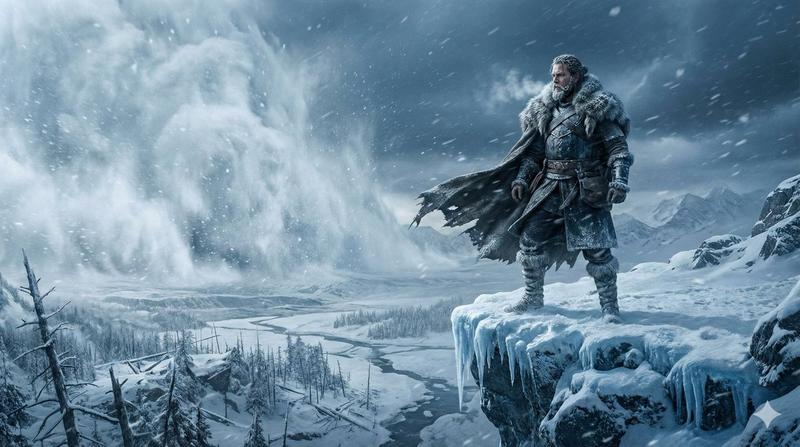
A rugged mountain traveller crosses a snow-covered ridge under a cold, overcast sky. Wind carries light snowfall across the frame. His heavy boots press into fresh snow and scattered stone. The camera tracks low and slightly behind, capturing texture, atmosphere, and drifting frost. Nearby stands a large mountain boar used as a pack animal. Thick bristles catch the wind. Its back is fitted with secured travel supplies: bundled blankets, rope coils, wooden containers, and strapped gear that gently shifts with movement. The traveller reaches the animal, grips the saddle frame, and climbs onto its back in one smooth, practical motion. He leans forward slightly and guides it with a light cue. The boar begins moving down a narrow mountain path. The camera widens as they descend steadily through mist and falling snow, cliffs rising on either side, the valley fading into grey distance.
Category
创意图片
Model
seedance-2.0
Creator
Stevie Mac
Views0
Source ID
41c82daf-a47e-4626-a4b8-02cda3719533
Published
Mar 8, 2026

Guide

About "山中的哥布林旅者与坐骑"

What is this prompt for?

"山中的哥布林旅者与坐骑" AI image prompt for seedance-2.0 (创意图片). 一个详细的多场景提示,用于 Seedance 2.0 生成一段电影般的视频,内容是一个哥布林旅行者和他的山猪坐骑穿越白雪覆盖的山脊。 --- 一位坚毅的山地旅行者在寒冷、阴沉的天空下,穿过被白雪覆盖的山脊。风…

The full copyable prompt and example visuals above are ready for AI image generation or one-click recreate in Picva.

How to use this prompt

  1. Step 1

    Open the prompt detail

    Review the example visuals, category, and full prompt text for "山中的哥布林旅者与坐骑".

  2. Step 2

    Copy the prompt

    Copy the prompt body from this page, or load it directly in Studio.

  3. Step 3

    Pick a model (seedance-2.0)

    Prefer seedance-2.0. If you switch models, keep subject and composition and tweak style terms.

  4. Step 4

    Generate and export

    Recreate the look in Picva, or export into your workflow for editing and publishing.

FAQ

What is the "山中的哥布林旅者与坐骑" prompt?
It is an AI image-generation prompt for seedance-2.0 in the 创意图片 category. This page includes the full prompt text, example visuals, and a one-click recreate path in Picva.
How do I use this prompt to generate an image?
Copy the prompt from this page, or use Generate / Studio. Paste it into a compatible image model, or recreate the look in Picva with optional reference images.
Which model is this prompt for?
This page lists seedance-2.0. Most descriptive prompts also transfer to nearby image models such as GPT Image, Flux, or Midjourney with light style tweaks.
Can I use the result commercially?
You can usually copy the prompt for creation, but commercial use of the final image depends on the model terms, reference-image rights, and the generated content. Follow the source author and platform rules.