Golden Hour 品牌设计工作室
Prompt
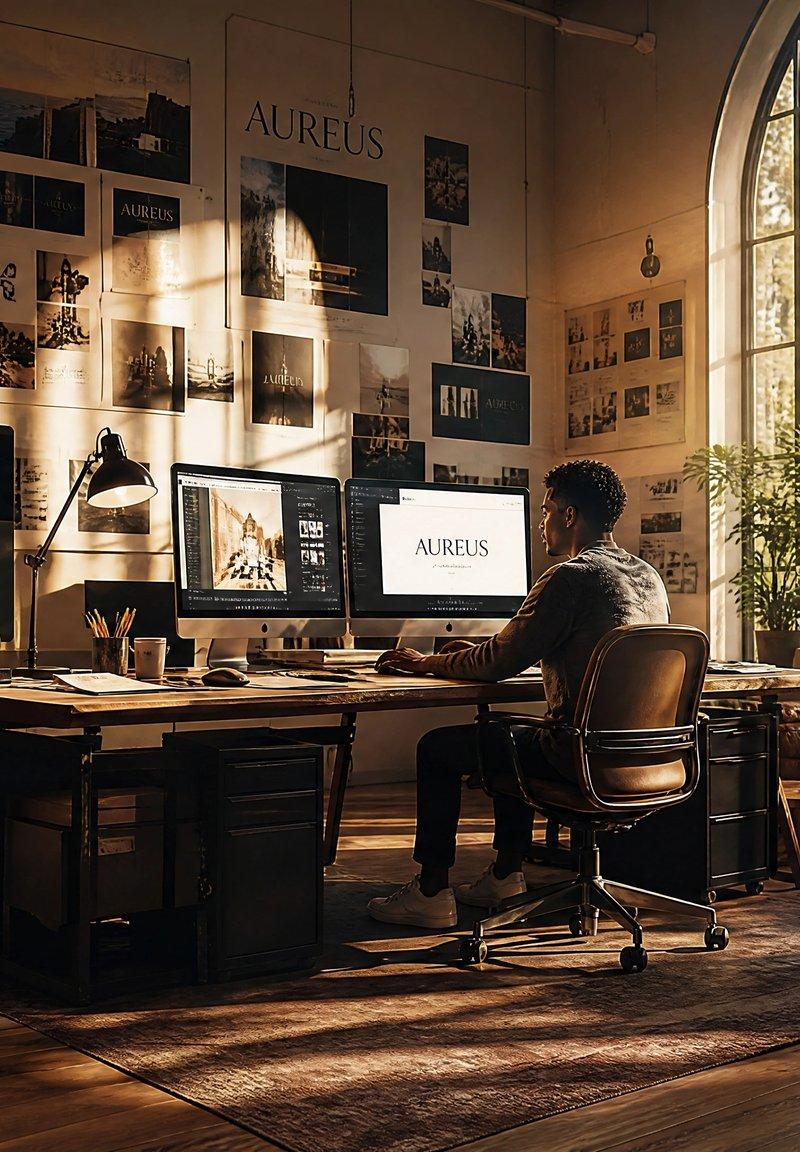
Create a cinematic ultra-realistic wide-angle scene of a premium brand design studio called {argument name="brand name" default="AUREUS"}, filled with warm golden-hour light and immersive creative-direction energy. The room is a spacious loft with tall beige walls, polished wood floors, a large arched industrial window on the right, sunlight streaming through trees outside, long shadows, indoor plants, vintage wooden furniture, and a richly textured rug. At the center, show one creative director seated in a brown leather office chair at a large wooden desk, viewed from behind in three-quarter profile, working on a dual-monitor workstation; one monitor shows a brand presentation with the {argument name="brand name" default="AUREUS"} wordmark, and the other shows a design/editing interface with imagery. Add desk details including a black task lamp, pencils in a cup, papers, notebooks, keyboard, mouse, coffee cup, small globe, and stacked design materials. Cover the back wall with a dense physical moodboard: exactly 24 pinned brand references and photo prints, mixing landscape photography, campaign imagery, typography samples, dark premium color studies, and logo lockups, with one large central brand poster reading {argument name="brand name" default="AUREUS"}. Add exactly 5 floating translucent UI panels around the studio: 1 large black “Campaign” panel on the left with a vertical landscape image and small text rows, 1 large cream brand card in the lower left with the {argument name="brand name" default="AUREUS"} logo and the tagline {argument name="tagline" default="A New Era of Timeless Living"}, 1 slim cream “Strategy” panel near the right window with checklist-like rows and a small dark circular button, 1 black brand preview card on the mid-right showing the {argument name="brand name" default="AUREUS"} logo above a moody coastal image, and 1 black “Moodboard” panel in the lower right with five visible color/photo swatches. The visual tone should feel like dream studio vibes: high-end branding, premium visuals, floating moodboards, fully inside the design process, warm amber highlights, soft dust in the air, realistic reflections, shallow depth of field, elegant serif typography, dark charcoal and cream interface cards, no cluttered unreadable text beyond the specified labels, no watermark.- Category
- Charts & Infographics
- Model
- GPT Image 2
- Creator
- Alessandro Bagnuoli
- Source language
- en
- Source ID
- 25227
- Published
- Jun 11, 2026
Views0